
OFFICIAL PRODUCT GUIDANCE
Support Center.
Installation, compatibility, firmware and digital delivery guidance for Another Machines products. Check the requirements below before installing or requesting support.
01
Check before purchase.
Every product page identifies supported hardware or software, minimum versions, compatibility, product contents and installation information. Compatibility cannot be guaranteed outside those published requirements.
02
Installation sequence.
Most loading and import failures are prevented by completing these checks in order.
Outdated firmware can cause loading errors, import failures, missing sounds, incorrect parameter values, compatibility problems and unexpected behaviour. Some manufacturers recommend a Factory Reset after major updates; always create a backup before any reset.
03
Platform requirements.
Use the latest official tools and documentation supplied by the hardware or software manufacturer.
Elektron devices
- Latest official Elektron firmware.
- Latest version of Elektron Transfer.
- Stable USB connection.
- Exact product and machine model must match.
- Follow Elektron documentation and the included guide.
Ableton Live products
- Ableton Live Suite unless the product page states otherwise.
- Minimum Ableton version shown on the product page.
- Compatible operating system.
- Required Max for Live devices where specified.
Roland devices
- Latest official Roland firmware.
- Use Roland's official update and import procedures.
- Read the official Owner's Manual.
- Follow the installation guide included with the purchase.
Sonicware devices
- Latest official firmware.
- Create a backup before installation.
- Follow Sonicware's official documentation.
- Follow the guide included with the product.
04
Gumroad delivery.
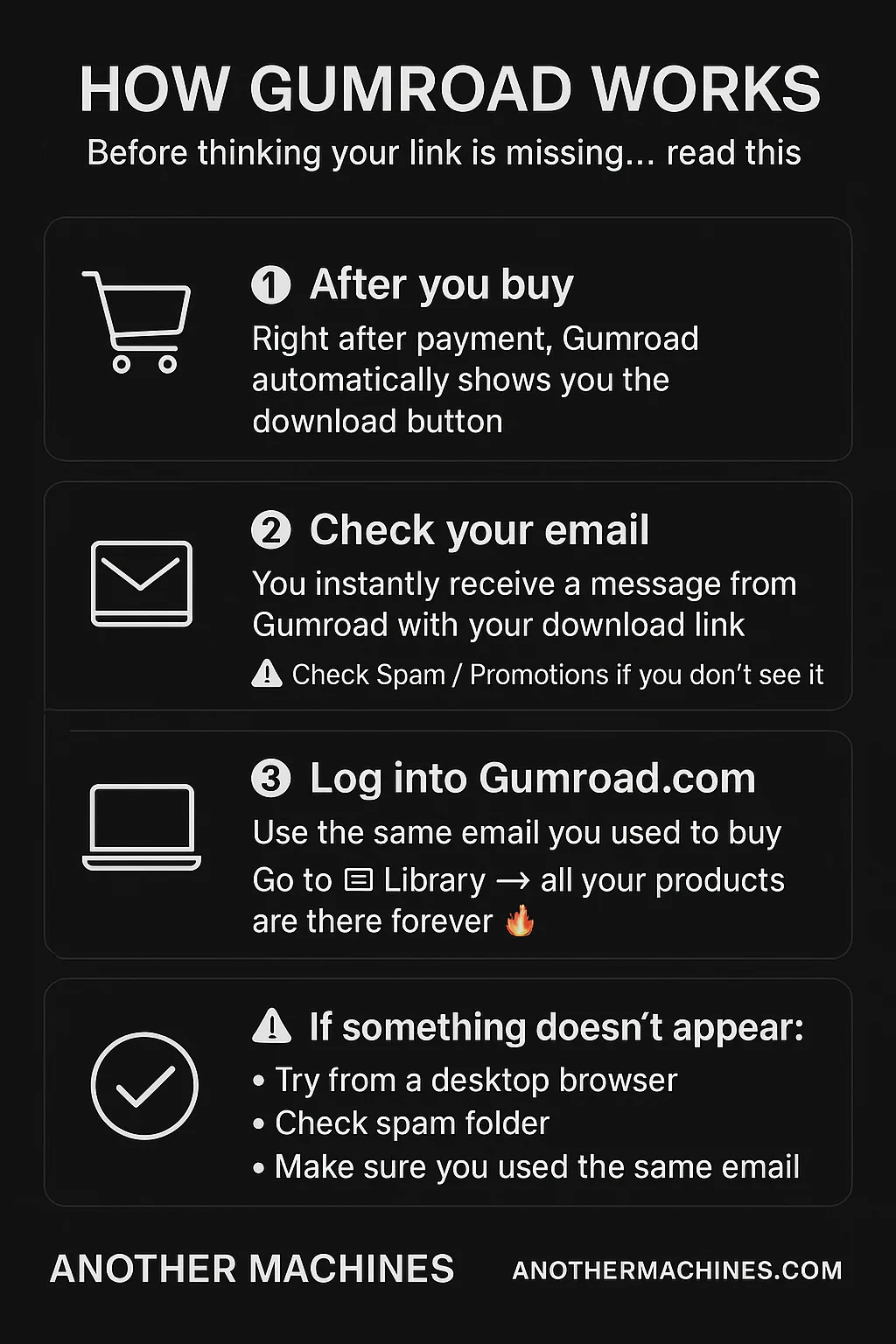
Payment, receipts, taxes, download emails and Library access are handled automatically by Gumroad.
How Gumroad works.
After a successful payment, Gumroad displays the download, sends the receipt and keeps eligible purchases available in the buyer's Library.
 OPEN GUMROAD LIBRARY
If the email or file is missing
Sign in with the same email or Gumroad account used at checkout.
Open the Gumroad Library and locate the purchase.
Check the purchase receipt, Spam, Junk and Promotions folders.
Try again from a desktop browser if the download does not appear.
Download the files and keep a personal backup.
05
Product support policy.
Every Another Machines product is designed, tested and verified using supported hardware, software and the latest official firmware available during development.
- Always check the current product page for its exact requirements.
- Update firmware, transfer software and Ableton Live before reporting a loading problem.
- Compatibility outside the requirements published on the product page cannot be guaranteed.
- Another Machines does not manage Gumroad's payment, VAT, receipt or download infrastructure.
- Never send passwords, payment card information, PayPal credentials or private account access.
Still need support?
Include complete technical information so the issue can be identified without unnecessary back-and-forth.
CONTACT ANOTHER MACHINES