IPHONE + IPAD · AUV3 AUDIO EFFECT — VERSION 1.0.0
MUUR for iOS
Advanced Impact & Character Processor
Build a stronger foundation, reshape the hit and give the sound a new character. MUUR brings impact shaping, adaptive dynamics, saturation and three dedicated effect engines into a complete AUv3 processor for iPhone and iPad.
AUv3 Audio Effect — runs inside a compatible DAW or AUv3 host. The app itself provides information and resources.
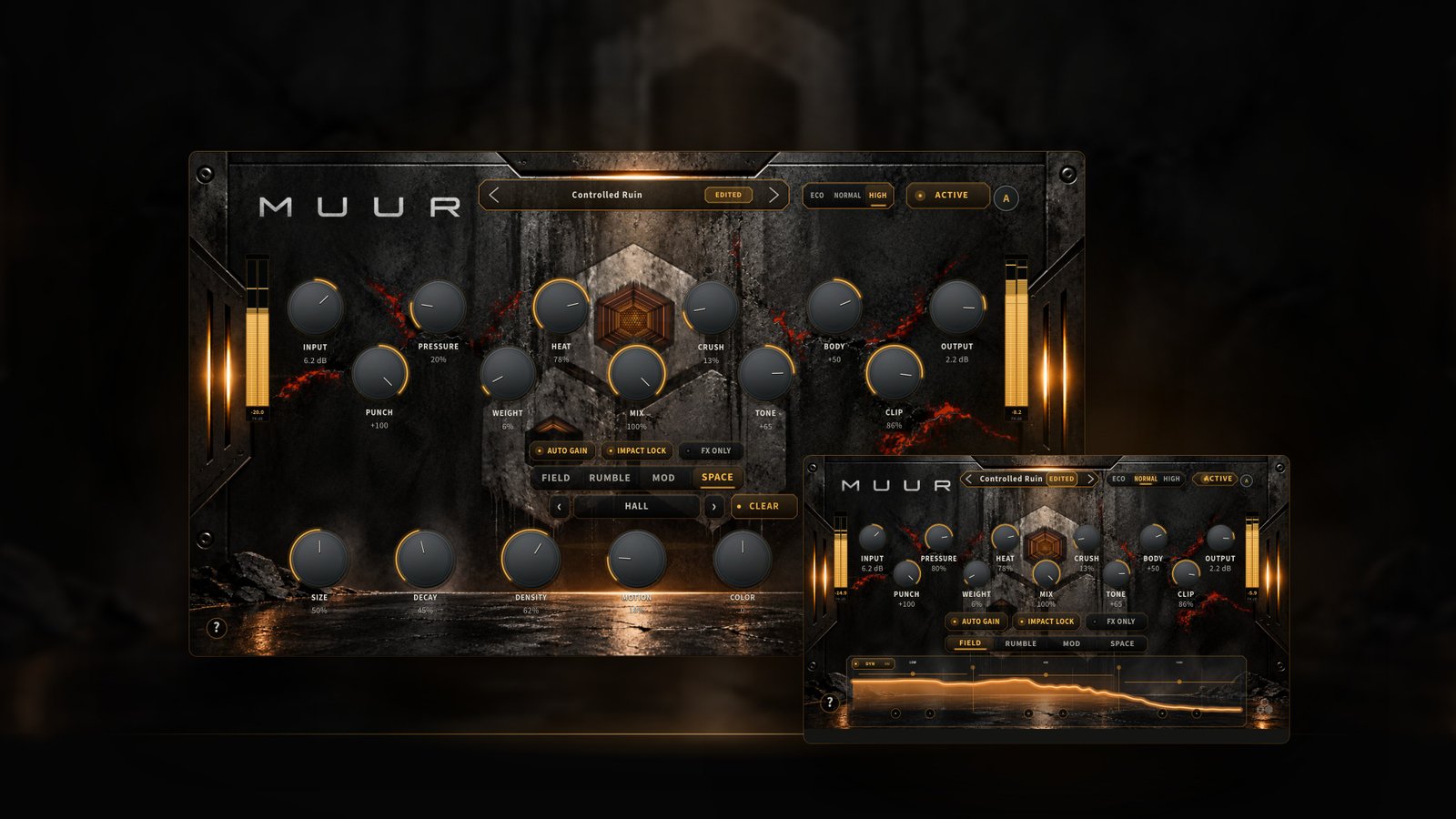
WHAT MUUR IS
Impact and character, inside your iOS studio.
MUUR is an AUv3 Audio Effect for iPhone and iPad, built for shaping kicks, drums, bass, percussion, loops and synth material. Bring a source forward, tighten its attack, reshape its body or turn it into a rhythmic, modulated texture.
The main engine combines adaptive dynamics, saturation, nonlinear character and dedicated impact and low-frequency controls. FIELD distributes the treatment across LOW, MID and HIGH. RUMBLE builds a rhythmic low-frequency tail, MOD adds pitch, frequency-shifting and ring-modulated character, and SPACE places the result in six distinct environments.
01 — MAIN ENGINE
Eleven controls. One signal path.
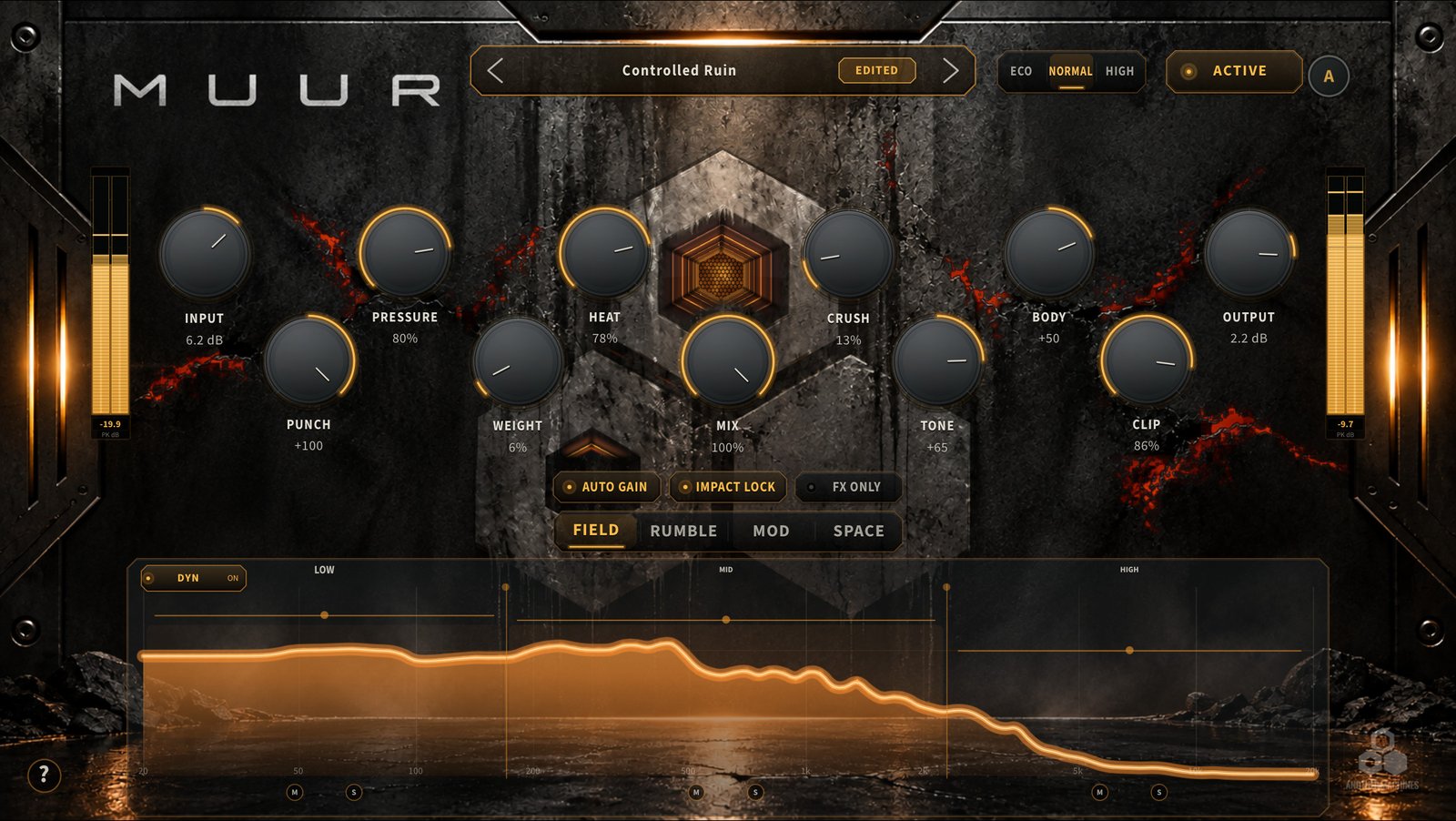
Drive, density, saturation, nonlinear character, body, impact and weight — then tone, clip, blend and level. The header adds the preset browser, ADAPT and the ECO / NORMAL / HIGH quality selector.
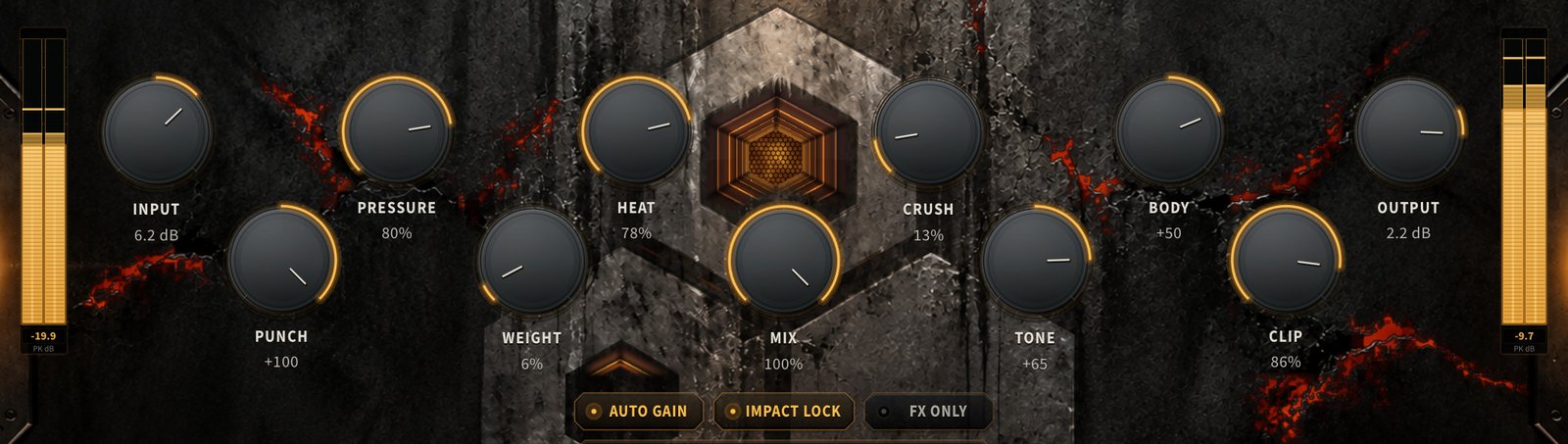
- INPUT
- Sets how strongly the source drives the treatment.
- PRESSURE
- Source-responsive dynamic control and density, informed by level and transient activity.
- HEAT
- Harmonic saturation and warmth.
- CRUSH
- Harder nonlinear character — grit and more assertive distortion.
- BODY
- Reshapes body and decay: positive adds sustain and mass, negative tightens it.
- PUNCH
- Brings the opening impact forward, or softens it.
- WEIGHT
- Reinforces the low-frequency foundation.
- TONE
- Tilts the overall balance darker or brighter.
- CLIP
- Controlled peak shaping and clipping character.
- MIX
- Blends the processed path with the aligned dry signal.
- OUTPUT
- Final level, to balance MUUR in the host.
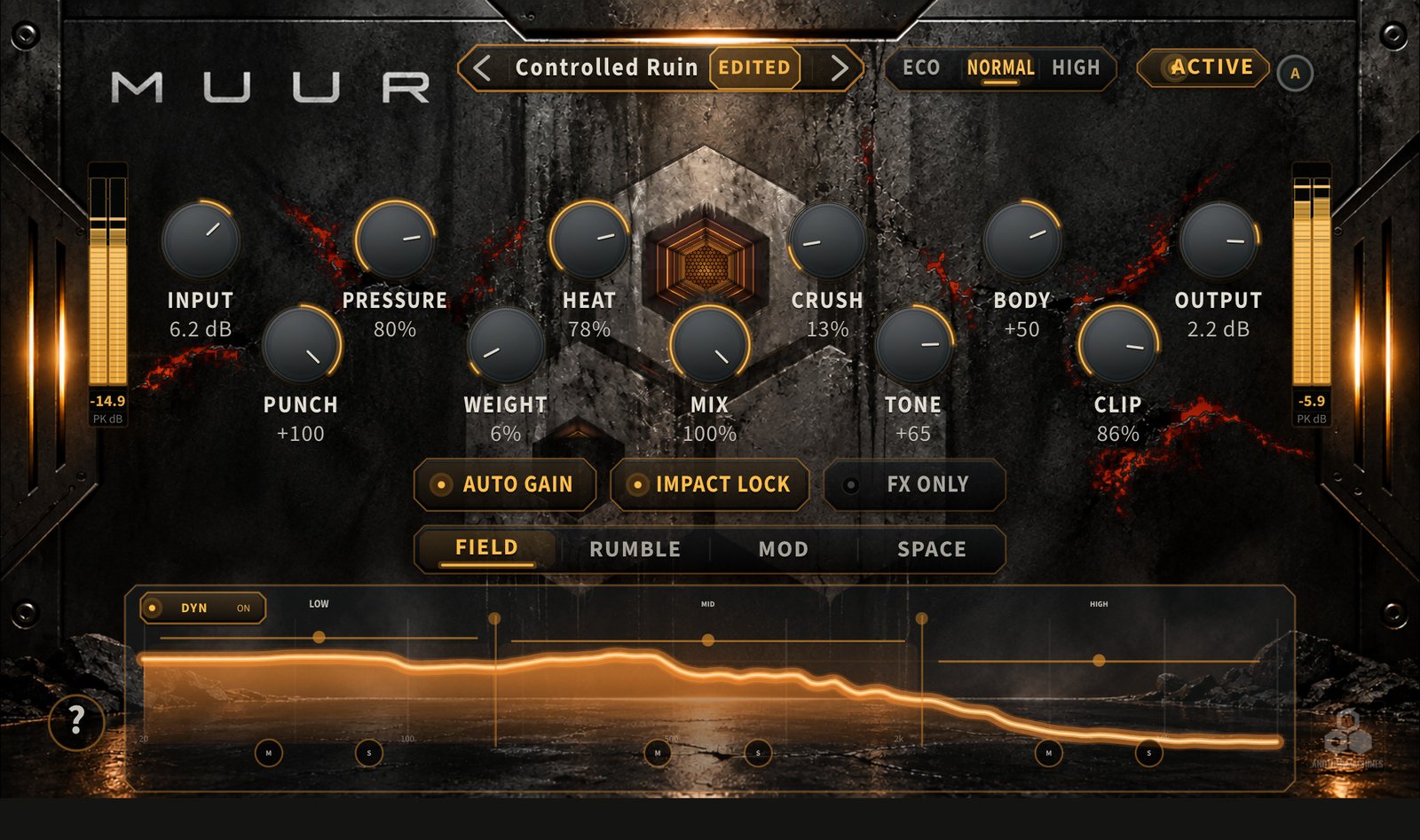
02 — FIELD + DYN
Three bands that follow the source.
FIELD sets how strongly MUUR treats LOW, MID and HIGH. Move the LOW/MID and MID/HIGH crossovers to define the three regions, then adjust each band to concentrate or reduce the treatment where it matters.
DYN changes FIELD’s influence as the source moves between attack and body. Local band energy, transient activity and the low-frequency foundation inform the response, so a sustained tonal source and a sharp drum hit move differently.
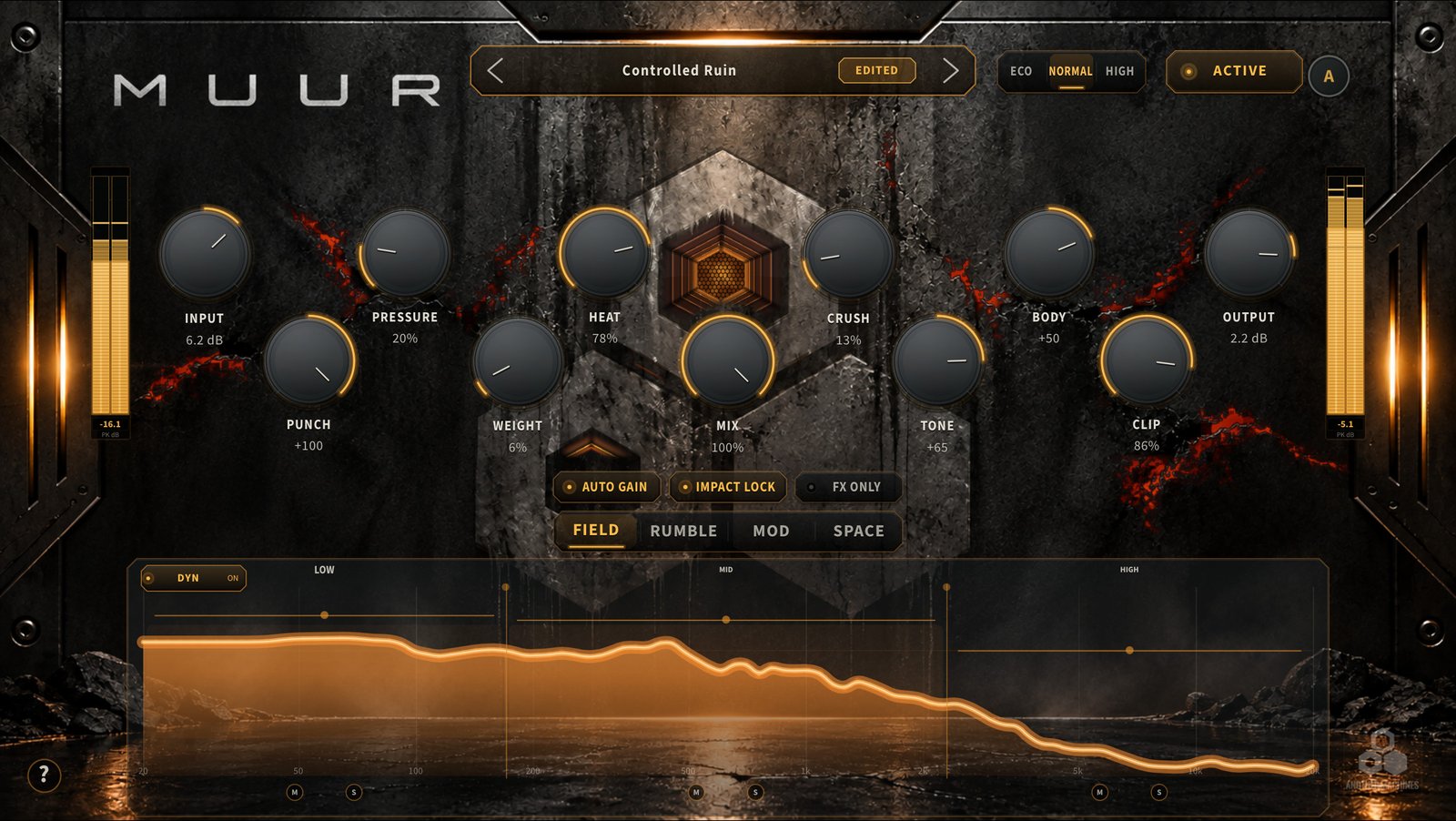
- CROSSOVERS
- Move LOW/MID and MID/HIGH to define the three regions.
- BAND AMOUNT
- Concentrate or reduce the treatment in each region.
- DYN
- At zero the amounts stay static; raise it for more source-responsive movement.
- MUTE / SOLO
- Audition each region while shaping the sound.
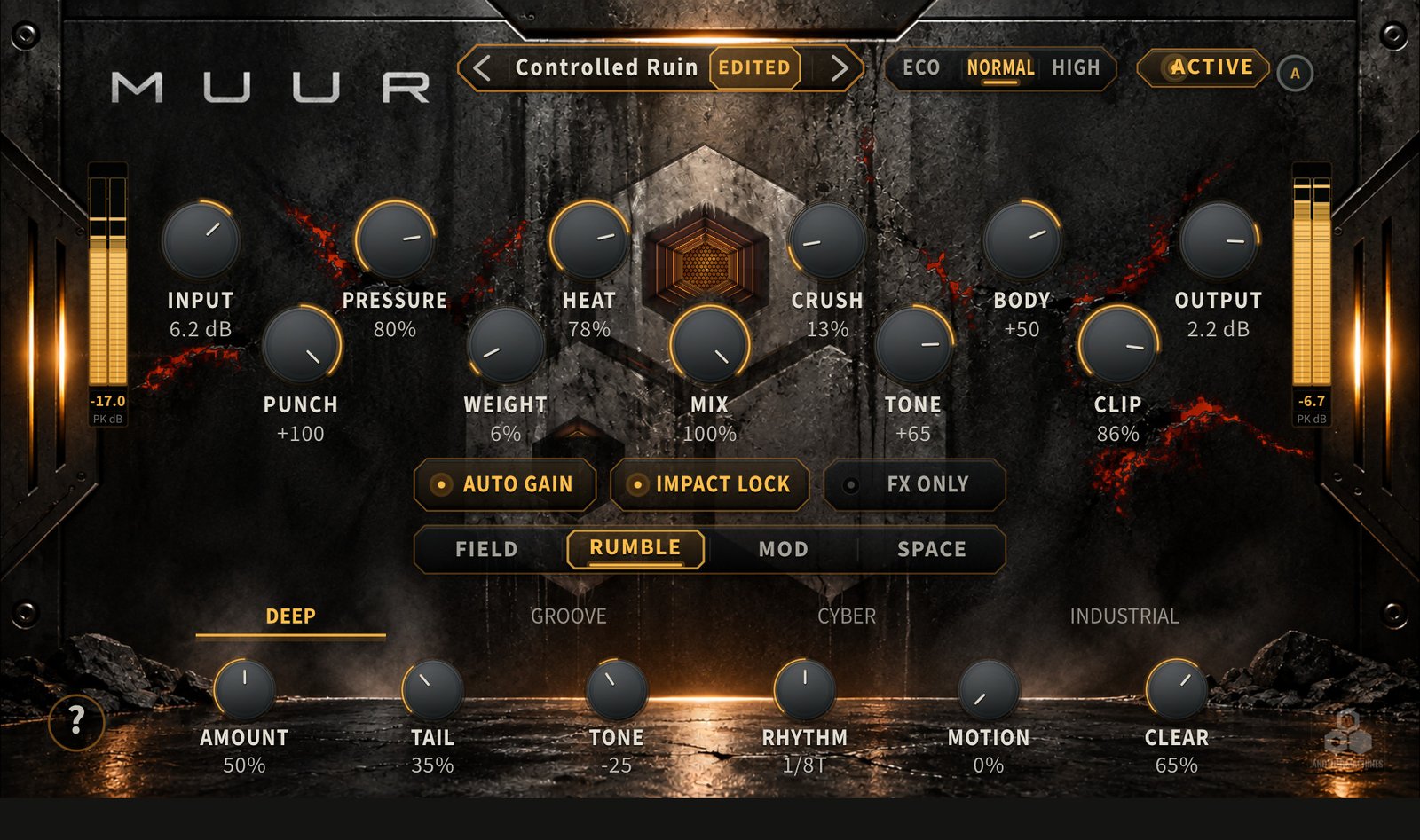
03 — RUMBLE
A rhythmic low end, behind the hit.
RUMBLE turns low-frequency source energy into a rhythmic tail with its own pulse, filtered character and motion — for kick-driven techno foundations, bass movement and percussion textures, without being limited to one genre.
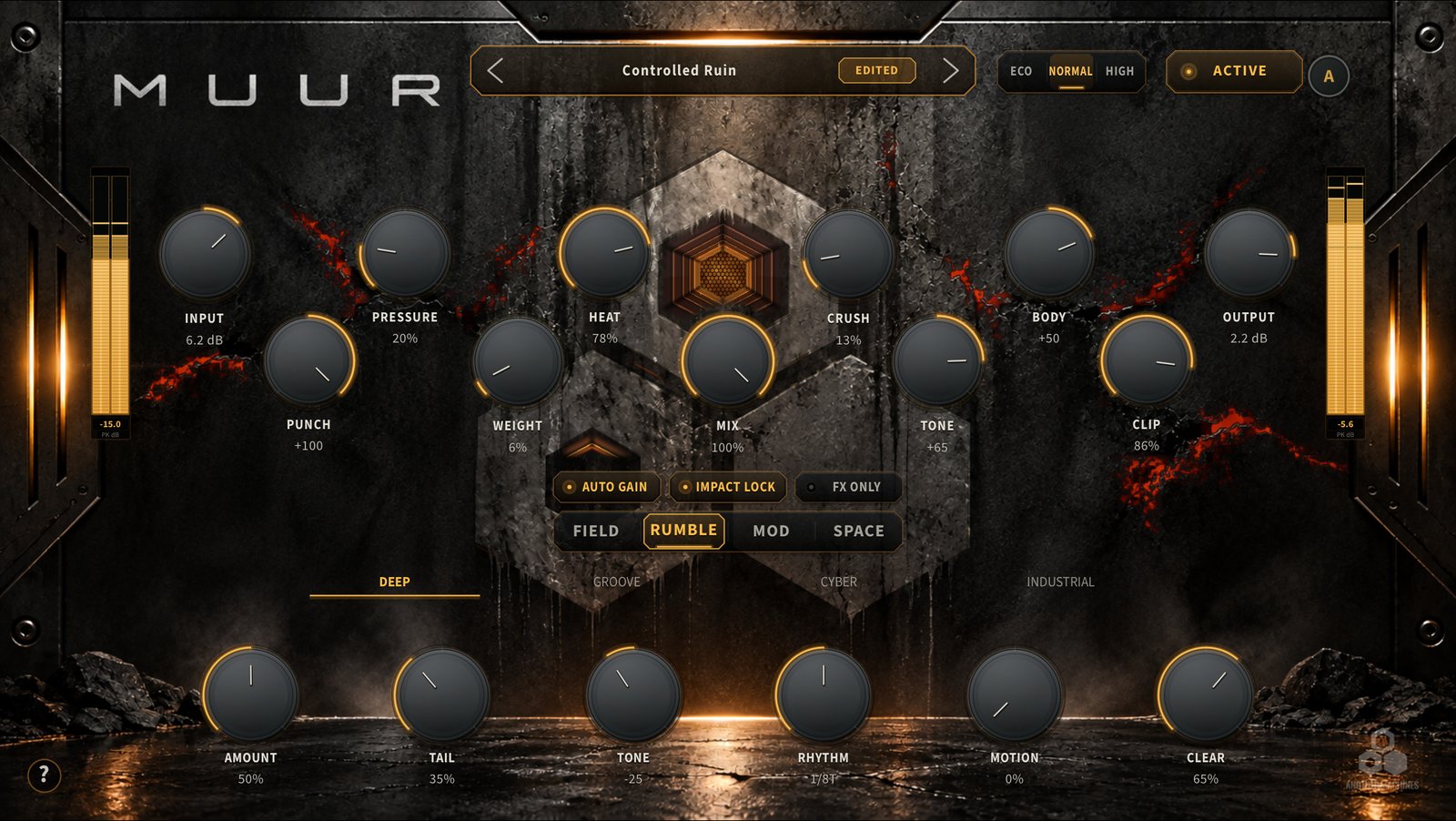
- AMOUNT
- The level of the generated rumble.
- TAIL
- How long the tail carries between events.
- TONE
- Its filtered tonal character.
- RHYTHM
- 1/16, 1/16T, 1/8, 1/8T, 1/8D, 1/4 from host tempo — or FOLLOW the source’s own event spacing.
- MOTION
- Movement within the low-frequency texture.
- CLEAR
- Makes room for the attack and foundation, separating the hit from its tail.
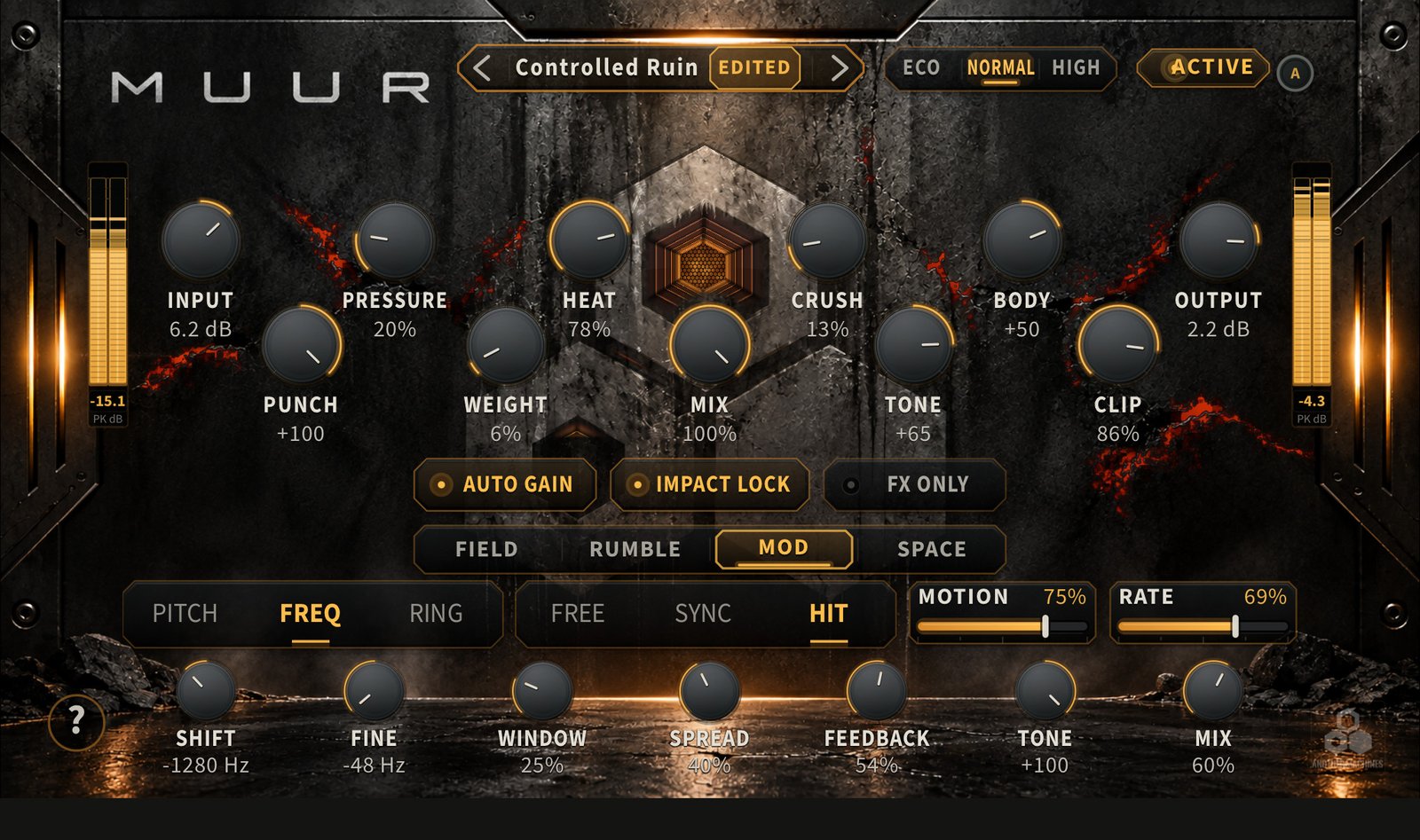
04 — MOD
Pitch, frequency and ring movement.
Three algorithms, three kinds of movement. MOTION sets the depth and RATE the pace: FREE runs independently, SYNC follows host tempo and HIT retriggers from source attacks.
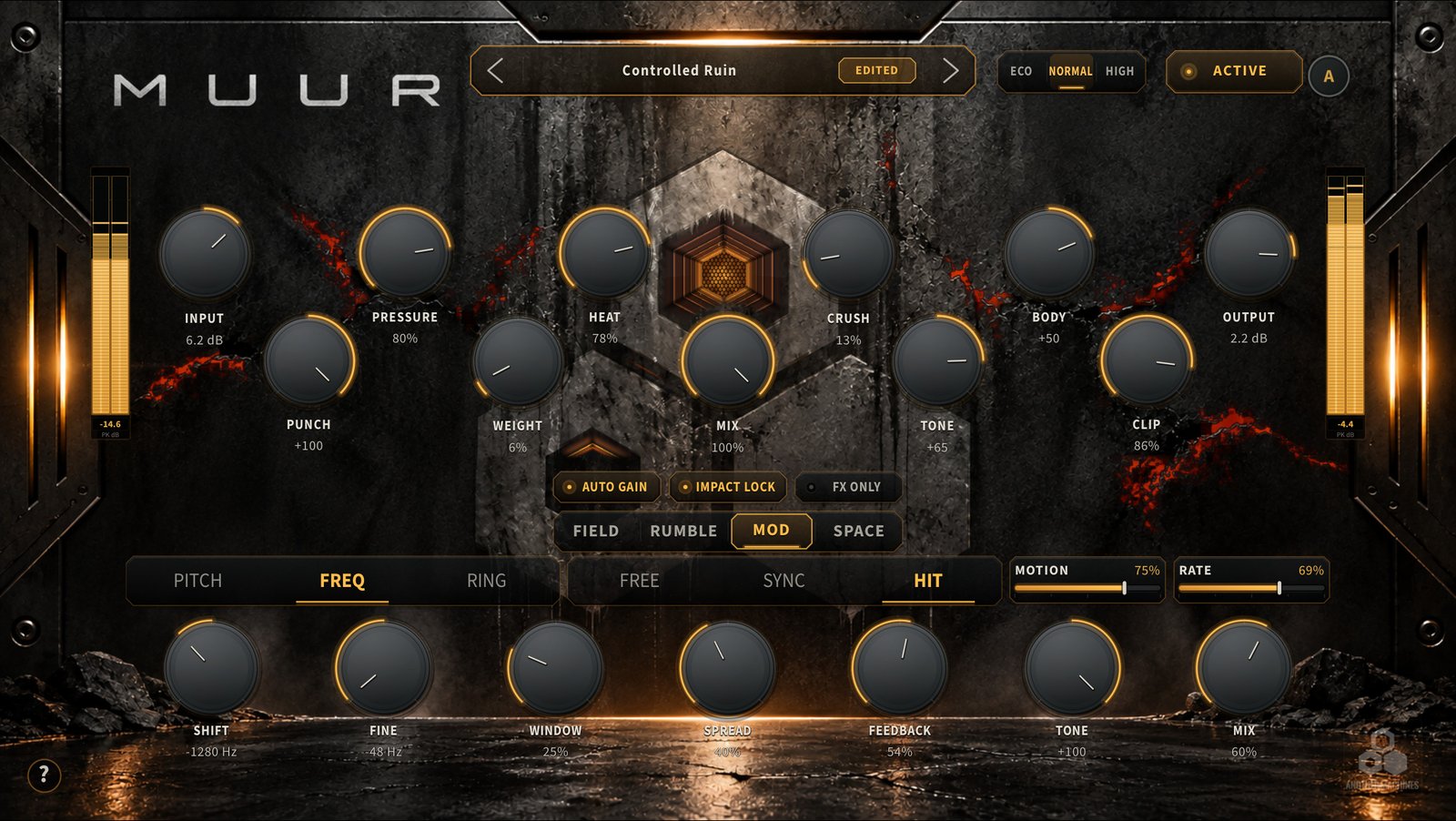
- PITCH
- Shifts the material in semitones.
- FREQ
- Translates its frequency content.
- RING
- Ring-modulated sidebands, with DRIVE in place of WINDOW.
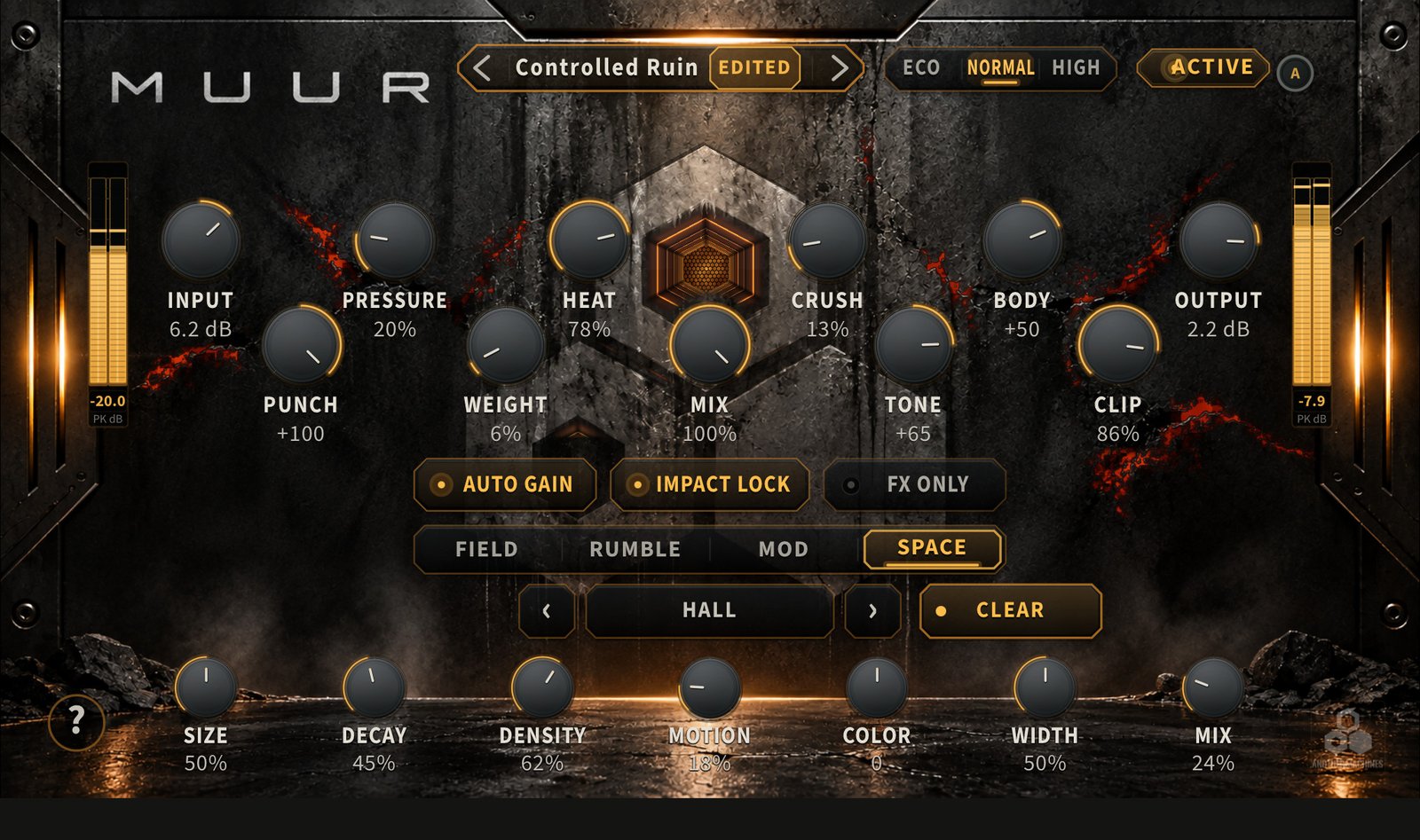
05 — SPACE
Six spaces, with the hit kept clear.
From conventional depth to transformed spatial textures. SPACE CLEAR is a separate source-protection control: it makes frequency-selective room for the low-frequency foundation and bright attack while retaining the surrounding field.
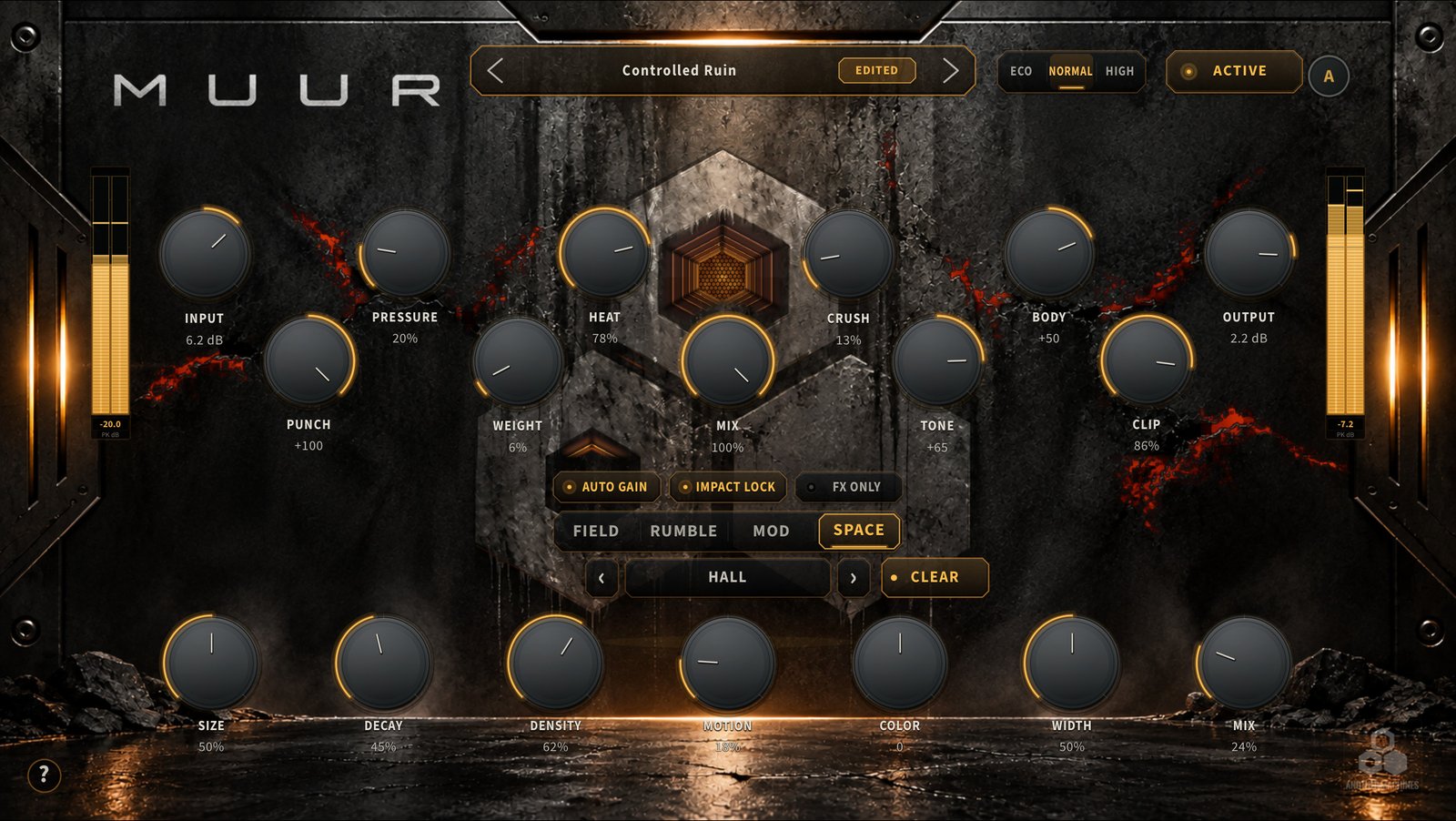
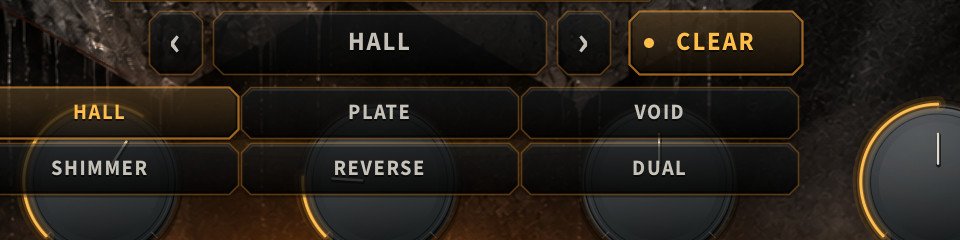
- HALL
- A spacious, diffuse reverberant field.
- PLATE
- A denser, more immediate character.
- VOID
- An expansive field with the capacity for long tails.
- SHIMMER
- A reverberant texture with pitch-shifted upper layers.
- REVERSE
- Overlapping reverse motion that builds into the space.
- DUAL
- Two contrasting delay-length groups within the network.
06 — ADAPT
It listens on the device, then applies a treatment.
Start playback in your host, then press ADAPT while the material you want to process is passing through the effect. ADAPT examines level, spectral balance, attack, body, timing and tonal structure, evaluates treatment candidates and applies a source-informed result. You can keep adjusting the sound afterwards.
Analysis and candidate evaluation run on the device. ADAPT does not upload audio or use a cloud service.
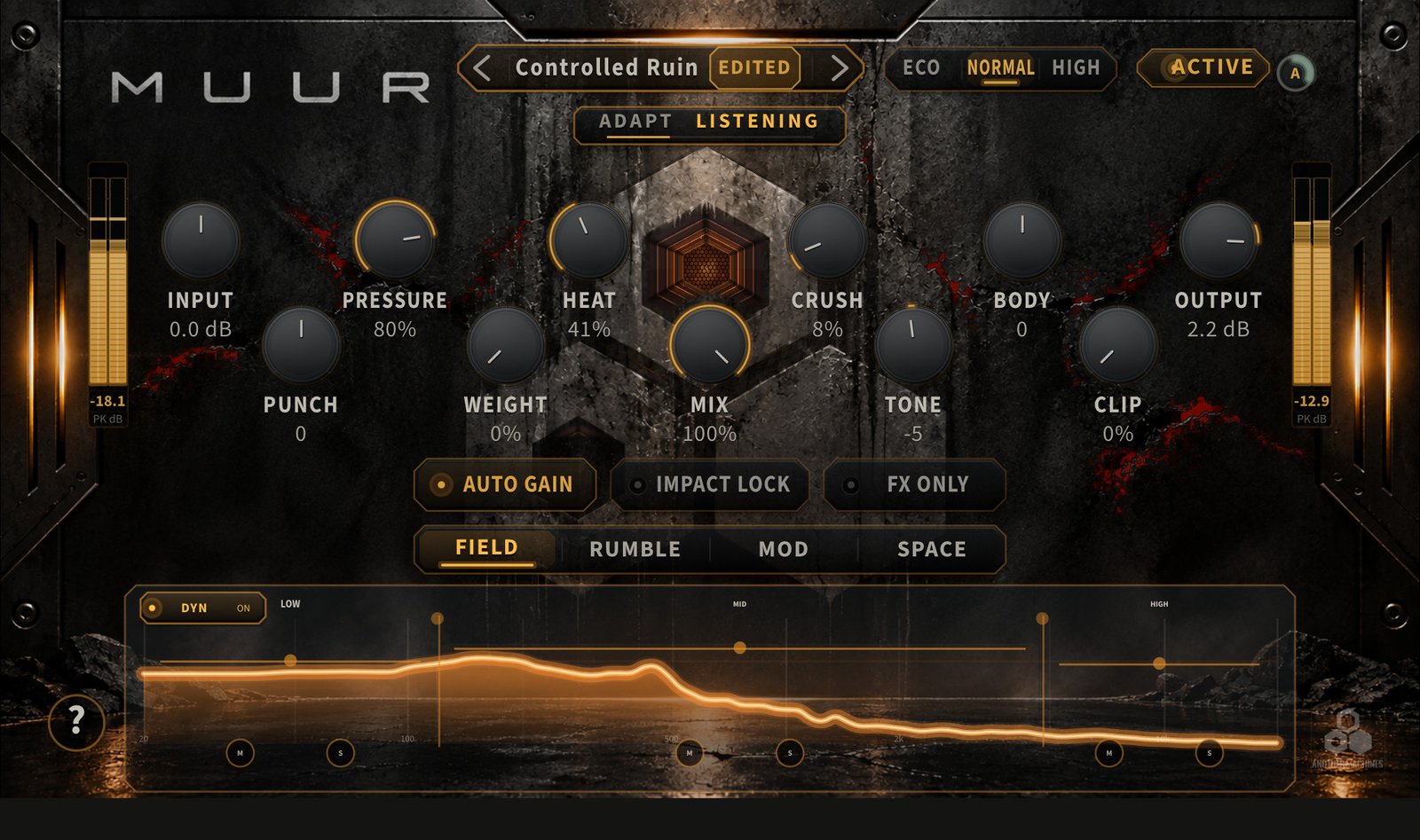
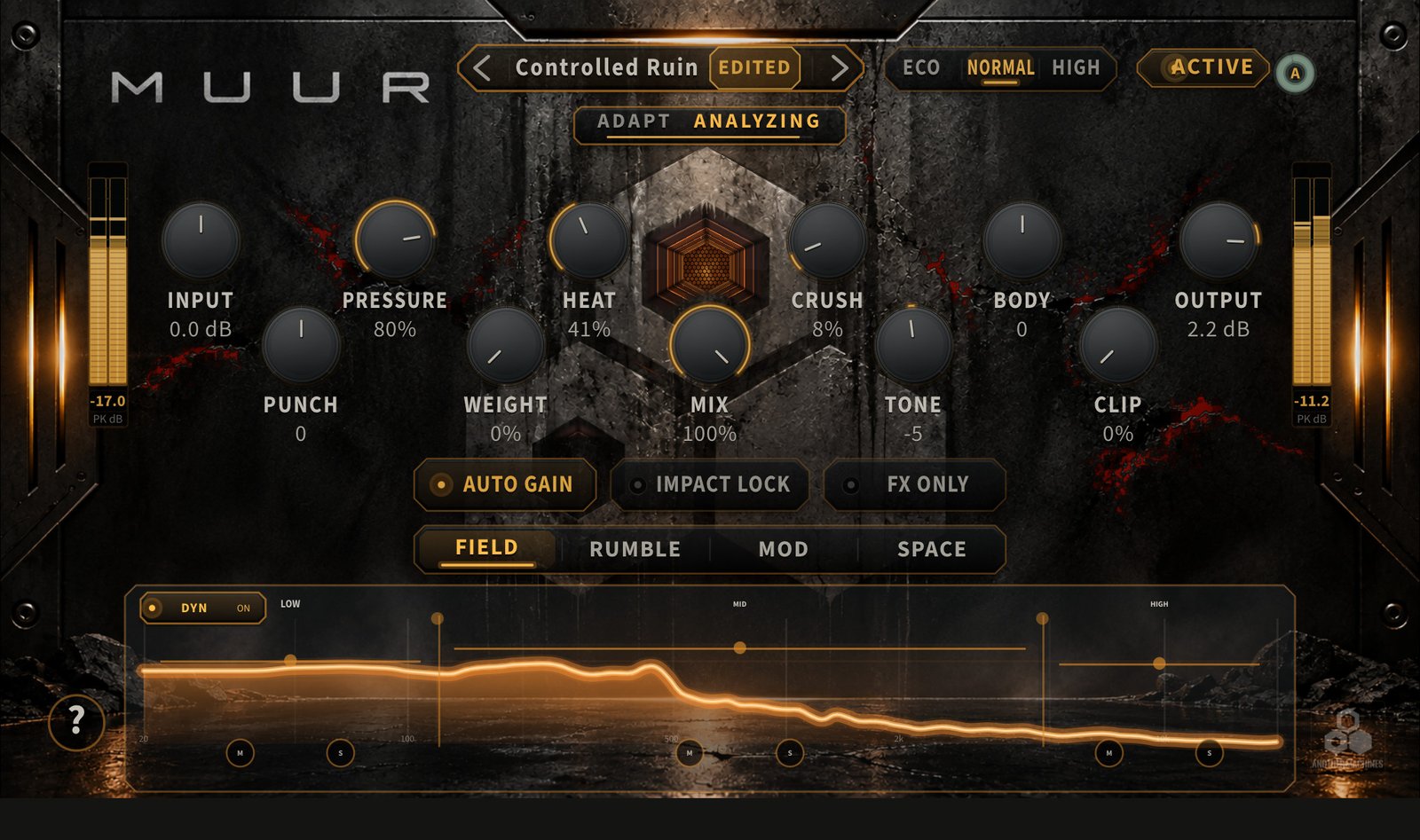
- LISTENING
- A short section of the incoming source, held in memory.
- ANALYZING
- Level, balance, attack, body, timing and tone; treatment candidates evaluated.
- APPLYING
- The result is set on the controls — still yours to adjust.
SOURCE CATEGORIES
Classification depends on the incoming audio. Supply an audible source — silence cannot produce a useful analysis.
07 — FX ONLY
Print the effects on their own.
FX ONLY replaces the normal output with the sum of the generated RUMBLE, SPACE and MOD returns — more specific than setting MIX to 100%. Use it for an effect return, parallel processing or printing a texture. To print RUMBLE alone, turn down SPACE MIX and MOD MIX.
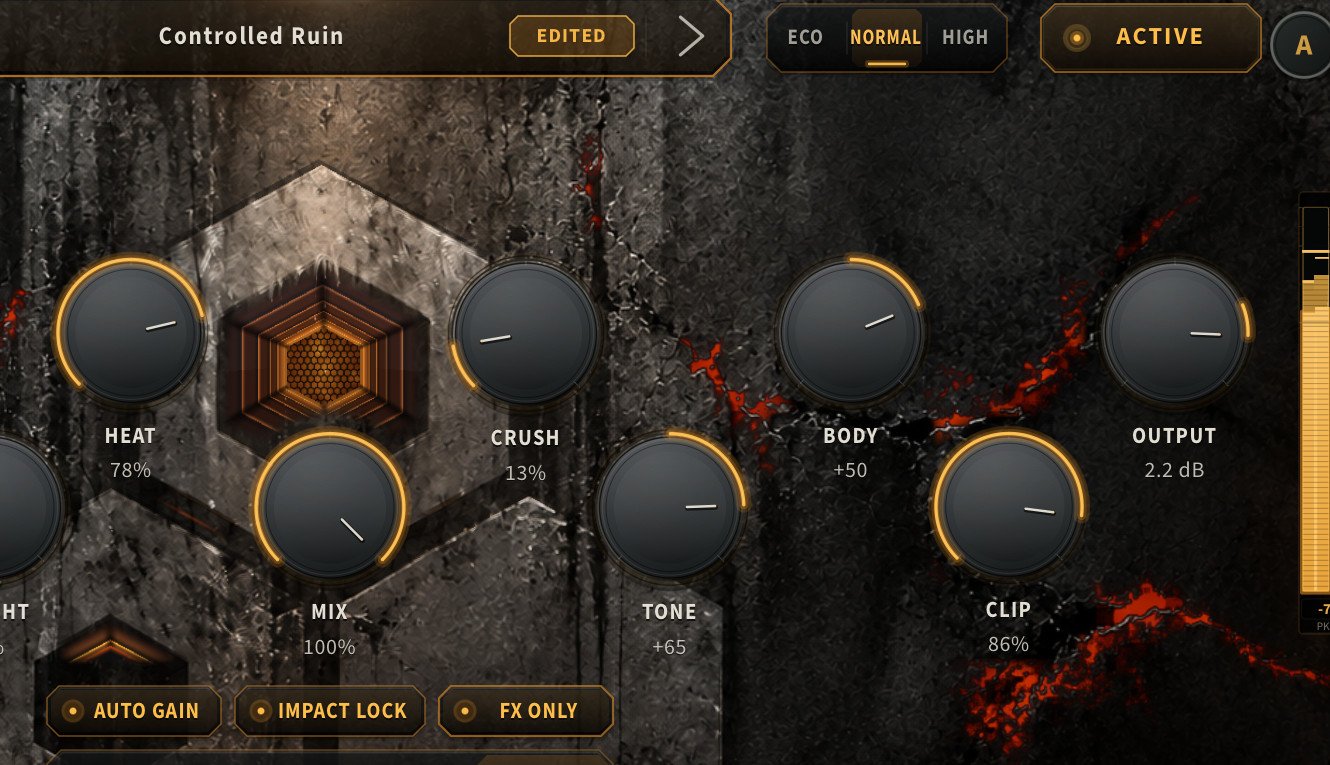
- FX ONLY
- The generated returns alone. Silent if no effect return is active.
- AUTO GAIN
- Adaptive level compensation on the normal path; disabled while FX ONLY is on.
- IMPACT LOCK
- Stronger protection of the source’s impact and low-frequency foundation.
- BYPASS
- Switches between processing and the bypass path.
Sends, buses, parallel tracks and recording are provided by your AUv3 host. MUUR does not create those routes or record a file itself.
08 — PRESETS
50 Factory sounds. 50 slots of your own.
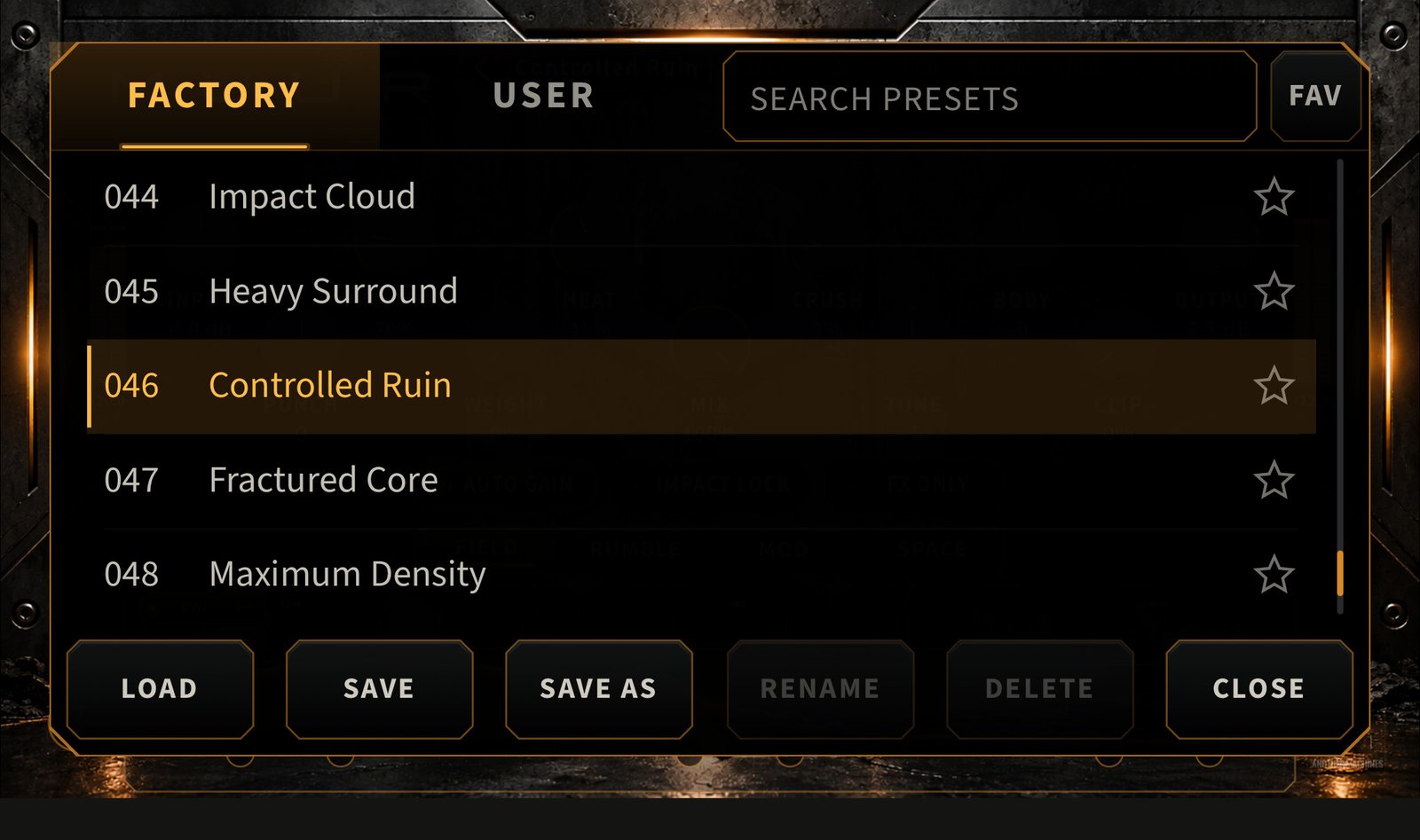
Fifty protected Factory presets and fifty User slots, with search and favourites. Load a sound, adjust it, then SAVE or SAVE AS to keep your version. INIT is the neutral starting state, separate from the Factory sounds.
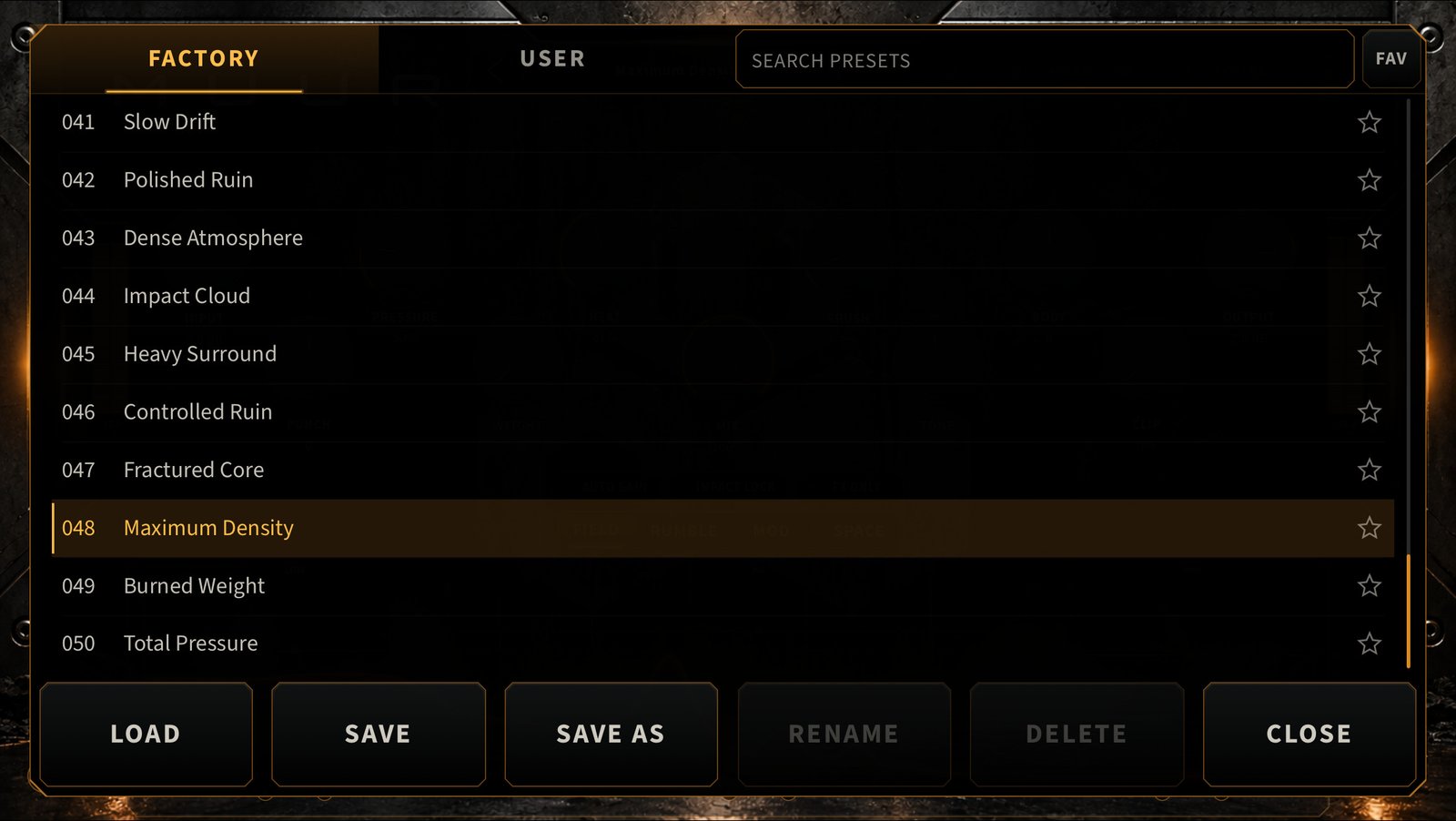
- FACTORY
- 50
- USER SLOTS
- 50
- QUALITY MODES
- 3
- SPACE ENGINES
- 6
Hold LOAD and release to import a MUUR JSON preset through the Files picker; hold SAVE AS and release to export the current sound. Importing into a full User bank asks for a destination — it never silently replaces a preset.
09 — QUALITY MODES
Choose the processing budget.
The modes change nonlinear processing quality and spatial detail. Every mode keeps the same controls and engines — ECO is not a reduced edition.
- ECO
- Efficient processing for sessions that need more headroom.
- NORMAL
- The default, balancing processing detail and session load.
- HIGH
- The highest real-time quality, at a greater processing cost.
CPU load depends on device, sample rate, buffer, active engines and instance count. Quality is stored with the host session and is not changed by loading a preset.
10 — IPHONE + IPAD
The complete engine on both. Not a Lite edition.
The same DSP, controls, Factory presets, User preset tools and processing architecture on iPhone and iPad. Use iPhone in landscape; on iPad the editor adapts to the space the host provides, in landscape or portrait.
11 — HOW TO USE
MUUR runs inside your host.
MUUR is an effect: it processes the audio your DAW or AUv3 host sends it. Opening the MUUR app on its own does not process or play sound.
- INSTALL
- Install MUUR from the App Store.
- OPEN A HOST
- Open a compatible iOS DAW or AUv3 host.
- ADD THE EFFECT
- Add MUUR as an AUv3 Audio Effect on a track, bus or effect slot.
- PLAY AUDIO
- Play audio through the effect.
- SHAPE IT
- Load a preset or adjust by hand — or press ADAPT while audio plays.
12 — ON IPHONE
Every page, in landscape.
The full editor, scaled for the iPhone screen.
13 — PRIVACY
Your audio stays on your device.
MUUR does not collect personal data, upload audio or include advertising, analytics or tracking. ADAPT runs locally. Presets are saved on your device, and import or export happens only when you choose a file or destination.
No account is required. Audio processing, ADAPT and local preset management work offline.
14 — SUPPORT
Straight answers.
Is it a standalone audio app?
No. The app provides information and resource links. Audio processing takes place inside a compatible DAW or AUv3 host.
Is the iPhone version different?
Its layout adapts to the smaller screen. Its sound engine, controls and presets are the same.
Does it work offline?
Yes. The effect, ADAPT and local preset management do not need a network connection. Installation, external resource pages and a cloud file provider may.
Does ADAPT send audio anywhere?
No. It analyses incoming audio on the device and keeps its analysis samples in memory. It does not save an audio recording.
Where are User presets stored?
In MUUR’s local storage on your device. The host stores each instance’s state in its session. Use JSON export for your own backups or transfers.
Can I use multiple instances?
Yes. Instances have independent processing state. Capacity depends on device, host, buffer, sample rate, quality and active effects.
Which hosts are supported?
Any host that supports AUv3 Audio Effects. Compatibility also depends on its version, your device and OS.
MUUR does not appear in my host.
Check that installation finished and look in the Audio Unit effect list, not the instrument list. Reopen the host and use its plug-in refresh option if it has one.
Does MUUR need camera or microphone access?
No. MUUR receives audio from the host. A host may ask for microphone permission for its own recording features.
How do I delete my presets?
Select a User preset and use DELETE in the browser. Remove exported copies in Files, and session copies through the host.
15 — REQUIREMENTS
What MUUR for iOS needs.
MUUR for iOS 1.0.0
- Devices iPhone and iPad
- Format AUv3 Audio Effect
- Host A compatible DAW or AUv3 effect host is required to process audio
- iPhone Landscape
- iPad Landscape and portrait — the editor adapts to the host window
- Account None
- Network Not required for processing, ADAPT or local presets
Good to know
- The MUUR app itself is informational; it does not process audio on its own.
- Processing capacity depends on device, host, sample rate, buffer size, quality mode, active effects and instance count.
- The host controls the plug-in window and audio routing.
- Opening external resources or a cloud file provider may require a connection.
ANOTHER MACHINES SOFTWARE
MUUR for iPhone and iPad.
Coming soon to the App Store. Impact, character and rhythmic texture in one AUv3 effect.