
MACOS · AU / VST3 · APPLE SILICON & INTEL — VERSION 1.0.1
MUUR
Advanced Impact & Character Processor
Impact, density, character, movement and depth for kicks, drums, bass, percussion, loops and synth material — shaped from one focused interface.
For macOS. Audio Unit and VST3, Universal for Apple Silicon and Intel.
WHAT MUUR IS
Impact and character, in one processor.
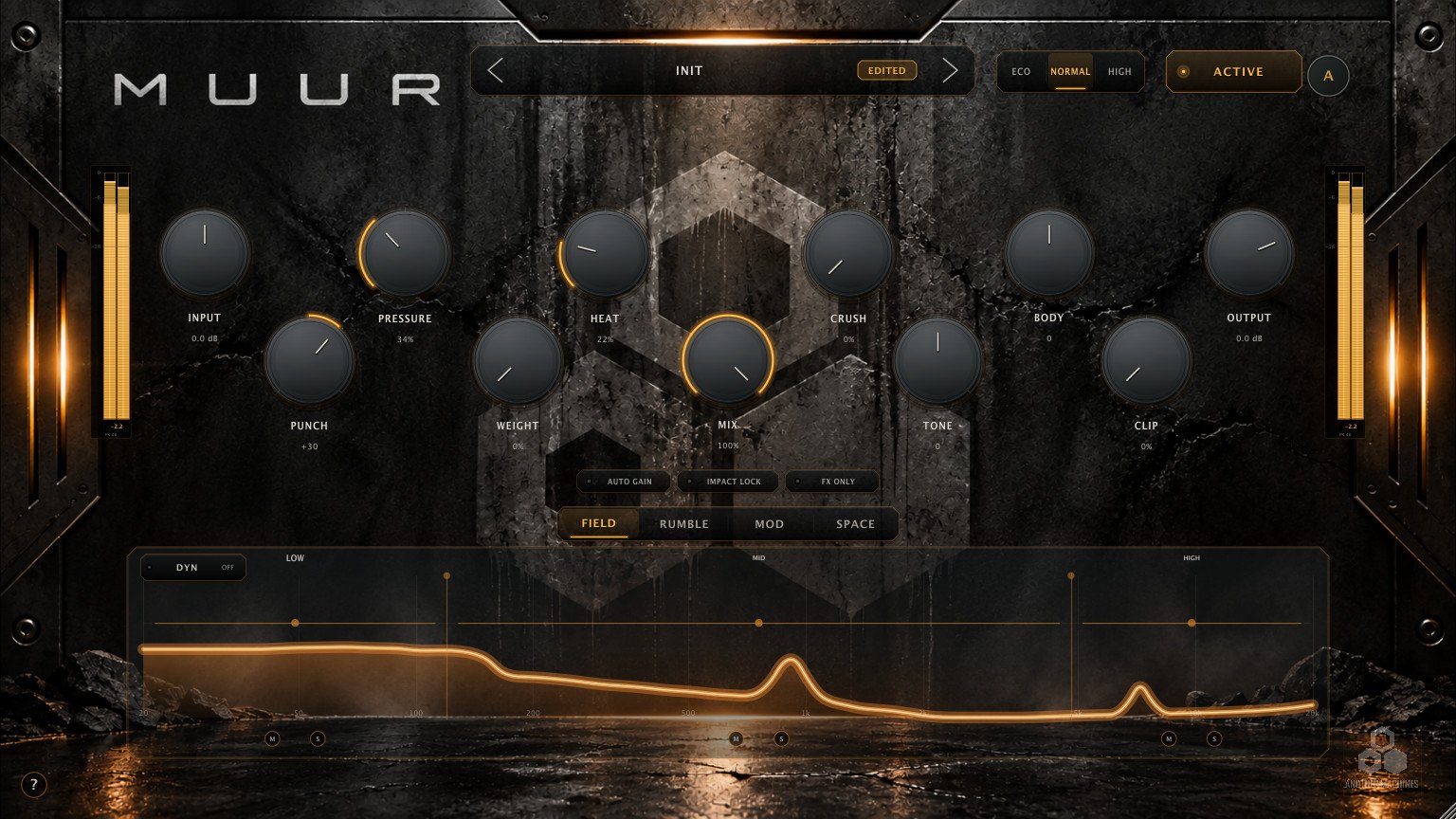
MUUR is an audio effect for shaping and transforming rhythmic and low-end material. A main engine sets drive, density, saturation, body, weight and punch. Around it, FIELD works by frequency region, RUMBLE generates a rhythmic low-frequency tail, MOD adds pitch and frequency movement, and SPACE places the result in one of six algorithmic spaces. ADAPT can listen to the source and propose a starting point.
MUUR 1.0.1
The current generation of MUUR.
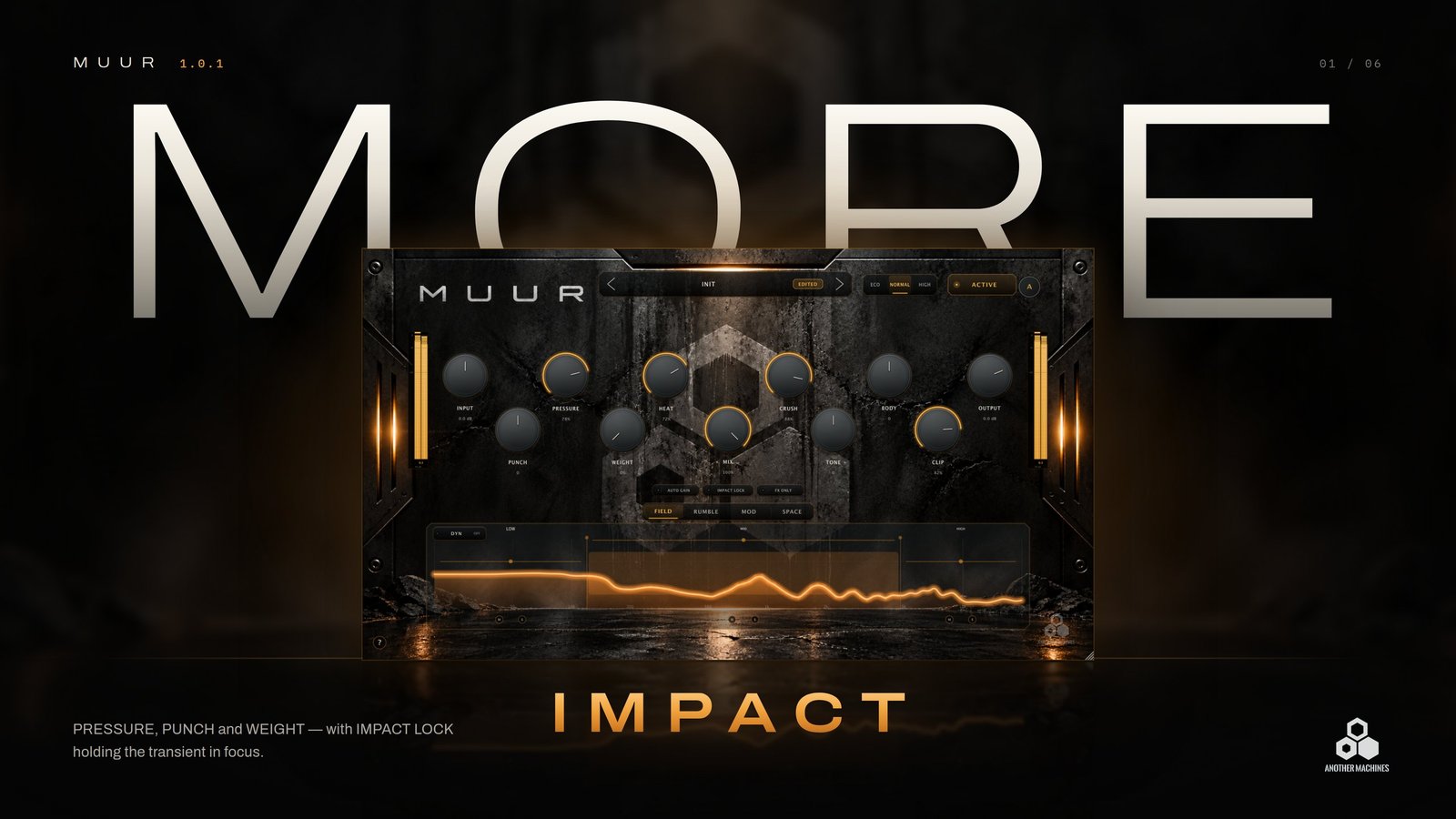
1.0.1 is a substantial update. ADAPT listens to the source and proposes a setting. FIELD gains DYN, SPACE gains CLEAR, and three global switches — AUTO GAIN, IMPACT LOCK and FX ONLY — change how you judge and isolate the result. The preset browser adds search and favourites, and contextual help sits one click away.

01 — MAIN ENGINE
Eleven controls. One signal path.
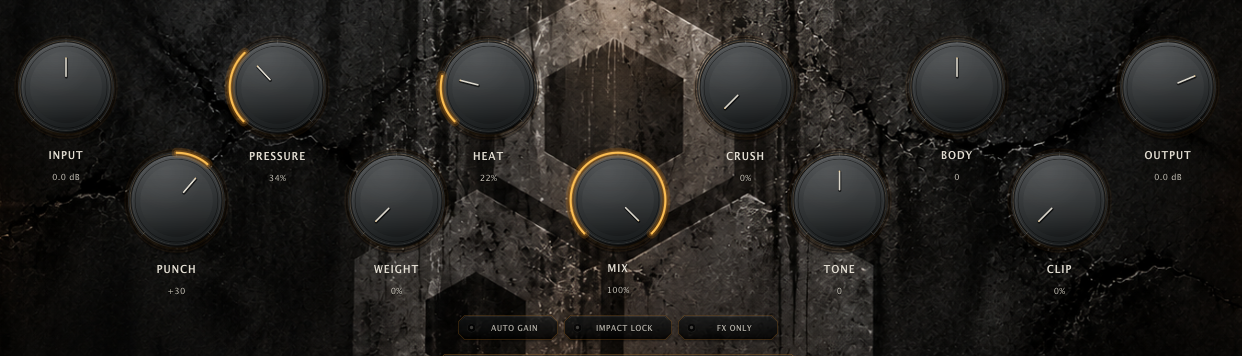
The main engine is where MUUR's character starts. Set the drive, build density and harmonic attitude, decide how the result behaves physically, then finish, blend and level it.
- INPUT
- Drive into the processing chain, −18 to +18 dB.
- PRESSURE
- Density and forward energy through the body of the sound.
- HEAT
- Harmonic saturation and colour.
- CRUSH
- Harder nonlinear texture — grain, edge and distortion.
- BODY
- Rounded, physical support around the hit. Bipolar.
- PUNCH
- The shape of the attack: emphasise the hit or soften it. Bipolar.
- WEIGHT
- Weight and authority in the low foundation.
- TONE
- Overall colour, from darker to more open.
- CLIP
- Clip character and density at the end of the engine.
- MIX
- The processed result against the original.
- OUTPUT
- Final level, −18 to +6 dB, for comparisons at a matched level.
02 — FIELD + DYN
Three bands. Character by region.
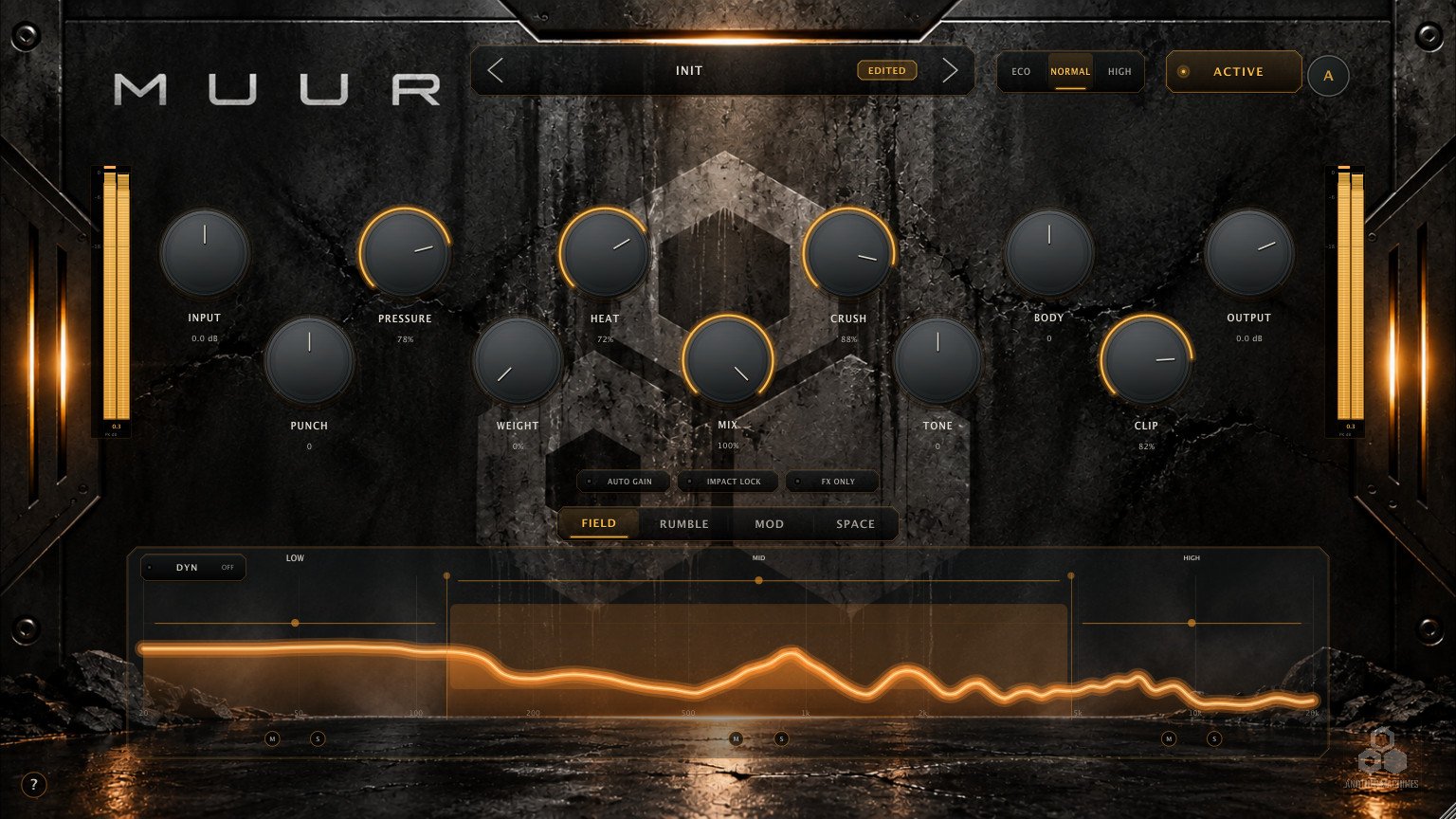
FIELD splits the sound into LOW, MID and HIGH. Drag the two crossovers directly in the display, then pull each band back toward a cleaner reference or push it further into processing — from 0 to 150%, with 100% as neutral.
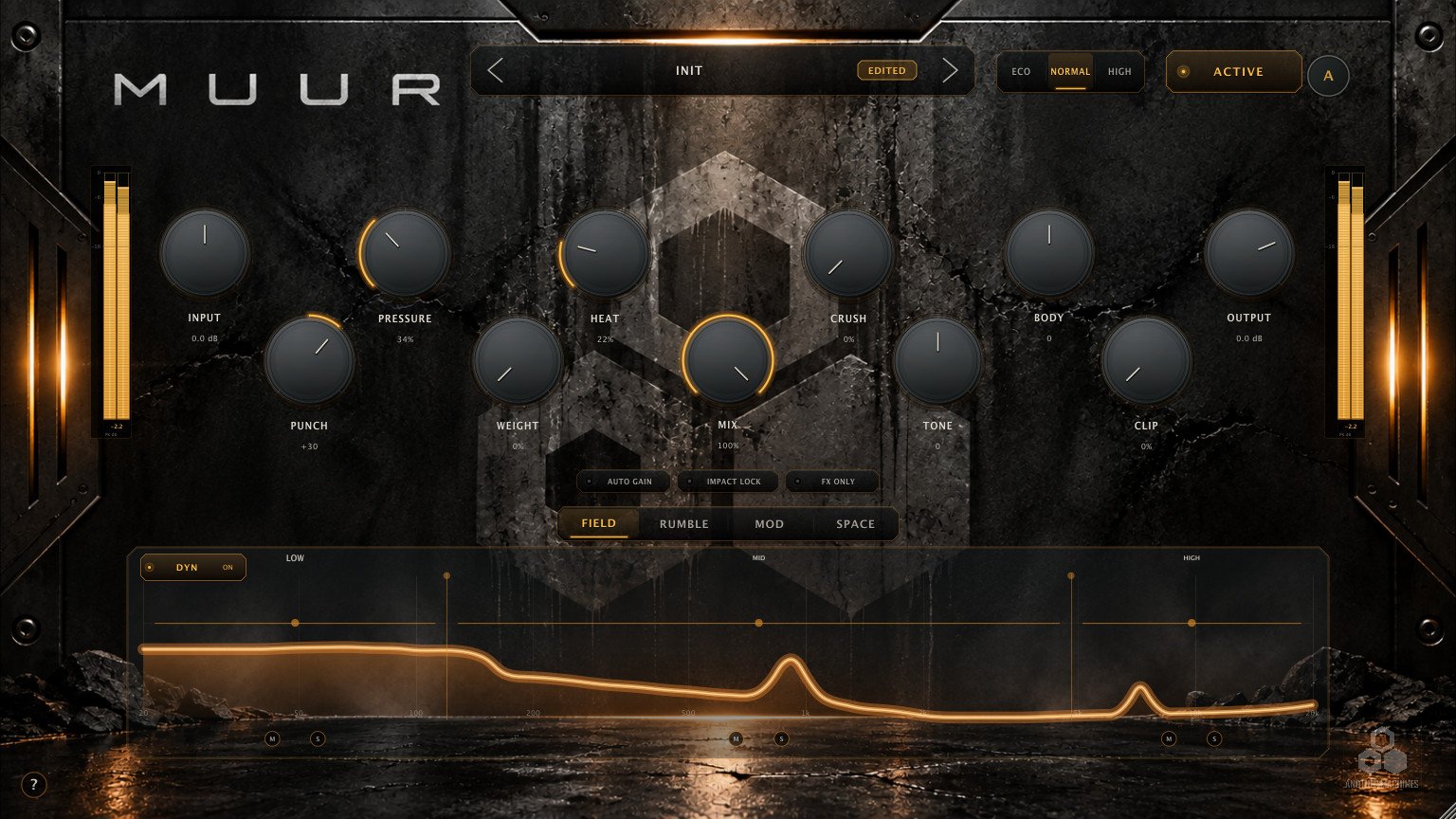
- LOW
- The foundation. Keep it close to neutral to protect the fundamental.
- MID
- The body. Push it harder for aggression without making the sound smaller.
- HIGH
- Attack and texture. Pull it back when CRUSH adds too much edge.
DYN — bands that follow the source.
With DYN on, the three band intensities respond to the signal, shaping body and sustain while seeking to preserve the attack. Leave it off for a fixed balance; switch it on when the material moves.

03 — ADAPT
It listens before it changes anything.
Press A while representative audio plays. ADAPT listens for a few seconds, analyses the source, evaluates a set of bounded settings and applies the one that suits the material. It gives you a source-aware starting point in seconds — and everything it sets stays yours to edit.
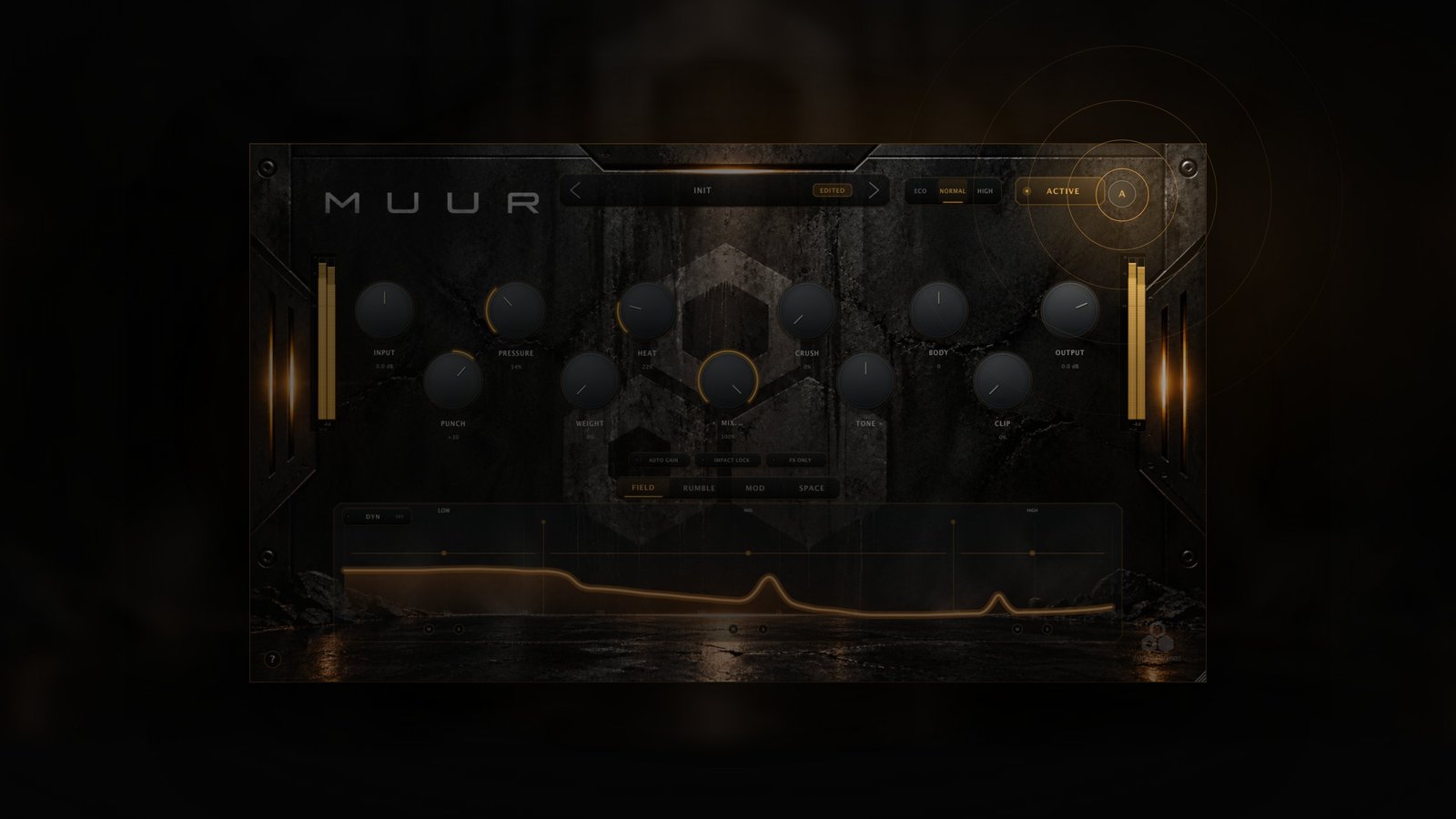
- LISTENING
- A few seconds of the incoming source.
- ANALYZING
- Bounded candidate settings are evaluated.
- APPLYING
- The selection is set on the controls.
- ADAPTED
- A brief confirmation. Everything stays editable.
On a source that already sits well, ADAPT may change very little. That is usually the right answer for that source.
04 — RUMBLE
Rhythmic low end, behind the hit.
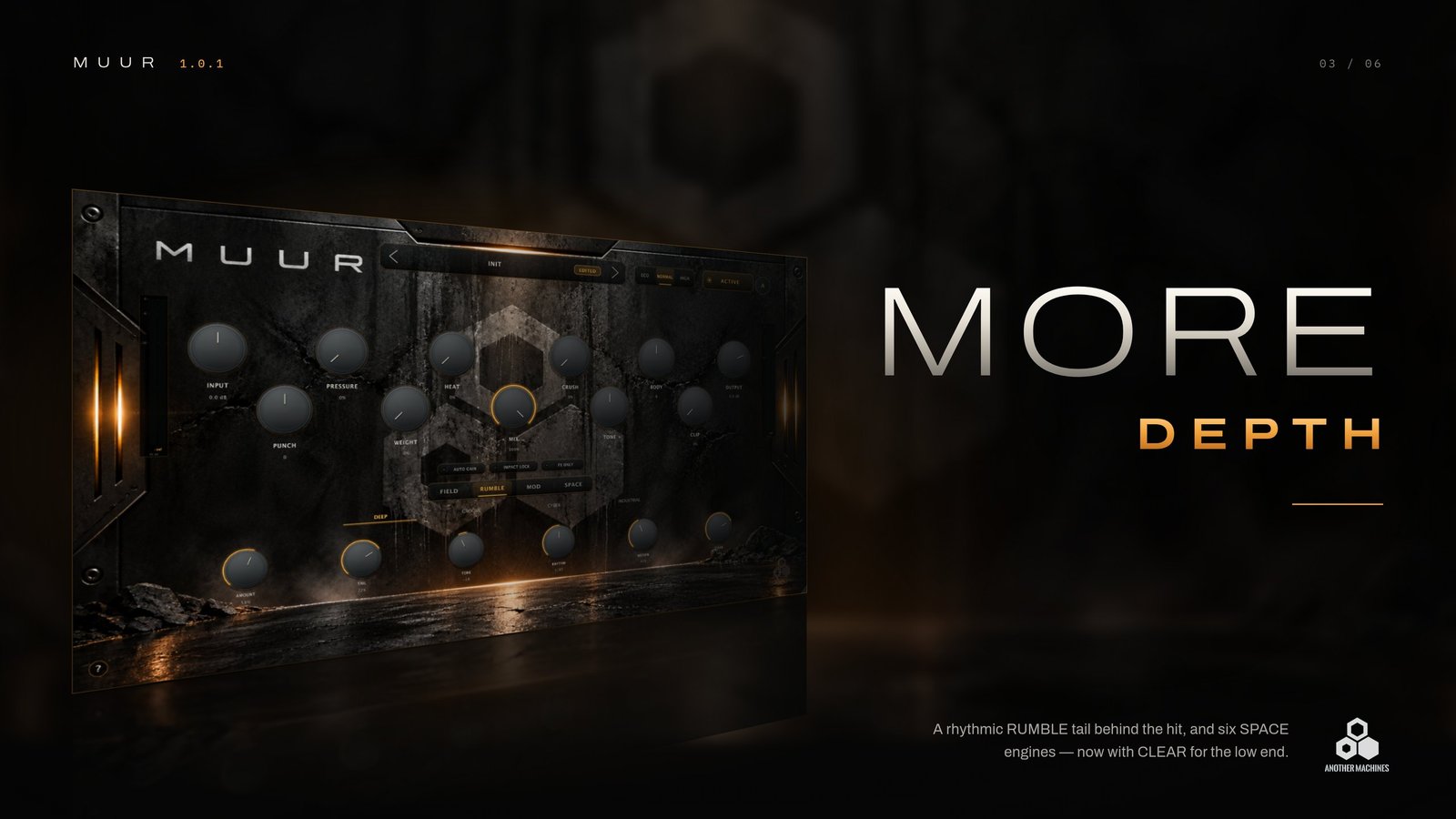
RUMBLE generates a low-frequency tail behind the source, with its own timing. Lock it to host tempo, or let FOLLOW track the source's own hits. TONE shapes the tail from dark to open, MOTION keeps it alive, and CLEAR separates it from the kick when the two start to compete — the engine works to keep the main hit in front.
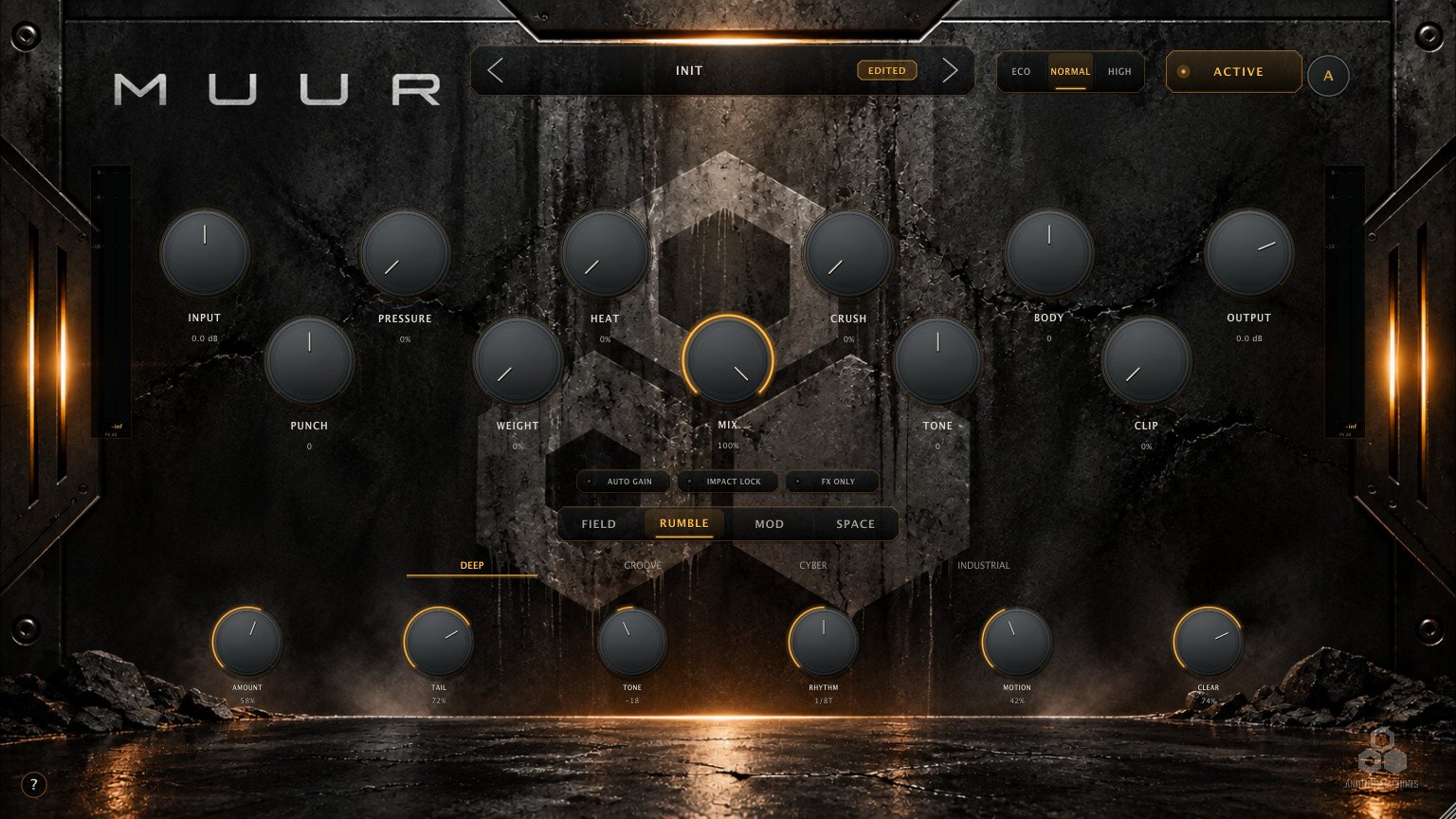
- DEEP
- The deepest and roundest.
- GROOVE
- More rhythmic emphasis and bounce.
- CYBER
- Brighter and more animated.
- INDUSTRIAL
- Denser, harder and more abrasive.
05 — MOD
Pitch, frequency and ring movement.
MOD builds a transformed return around the body of the source. Choose what the transformation is — PITCH, FREQ or RING — and how it moves: free-running, synced to the host, or driven by the hits.
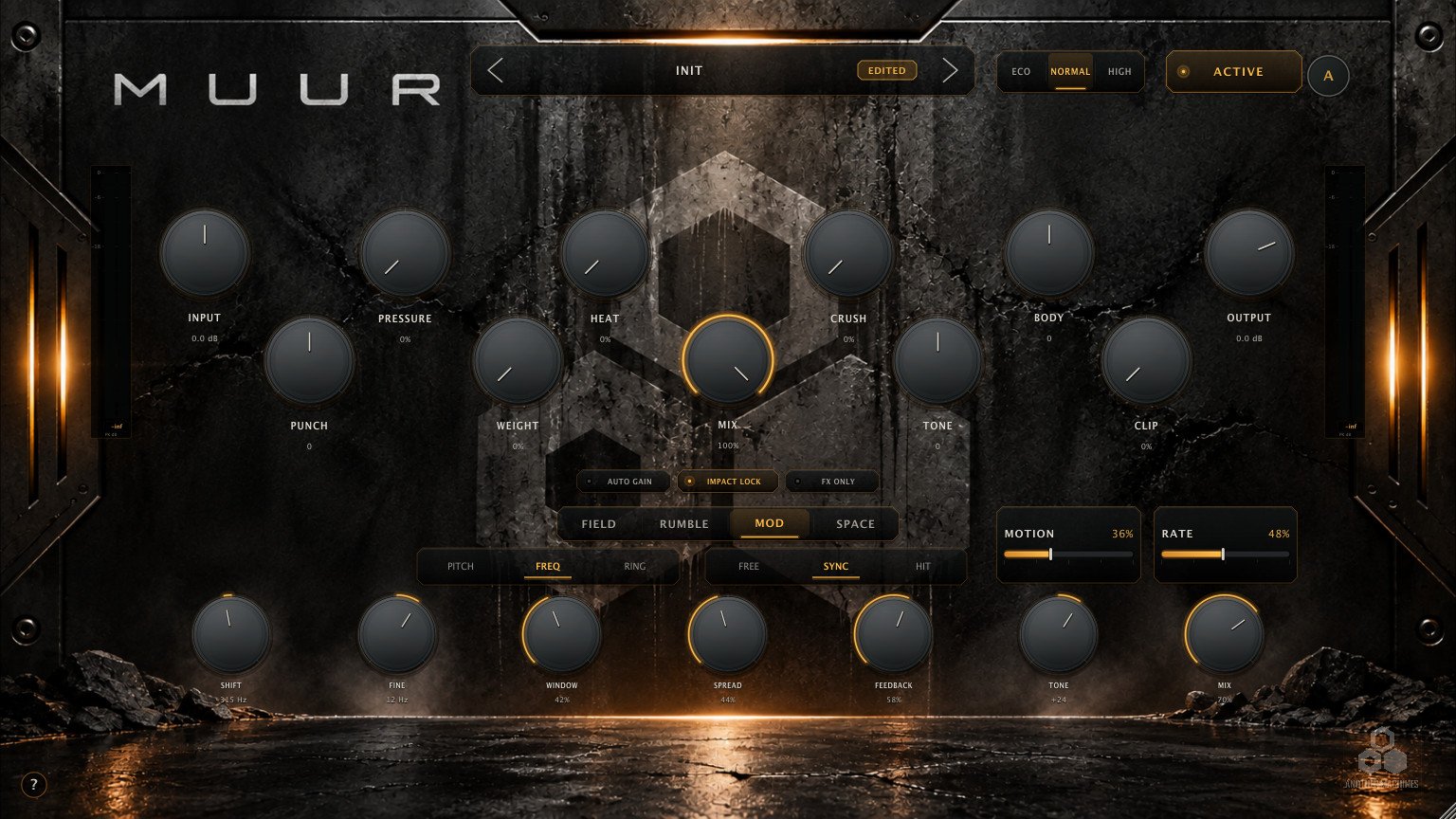
- PITCH
- Musical pitch translation, ±12 semitones.
- FREQ
- Frequency shifting in Hz, with direction — a different colour from a pitch change.
- RING
- Sum and difference components for a metallic texture.
06 — SPACE
Depth that stays behind the hit.
SPACE is an algorithmic spatial return with six engines and seven shared controls. New in 1.0.1, CLEAR reduces low-end clouding and softened attacks in the return; leave it off for the full character of the engine.
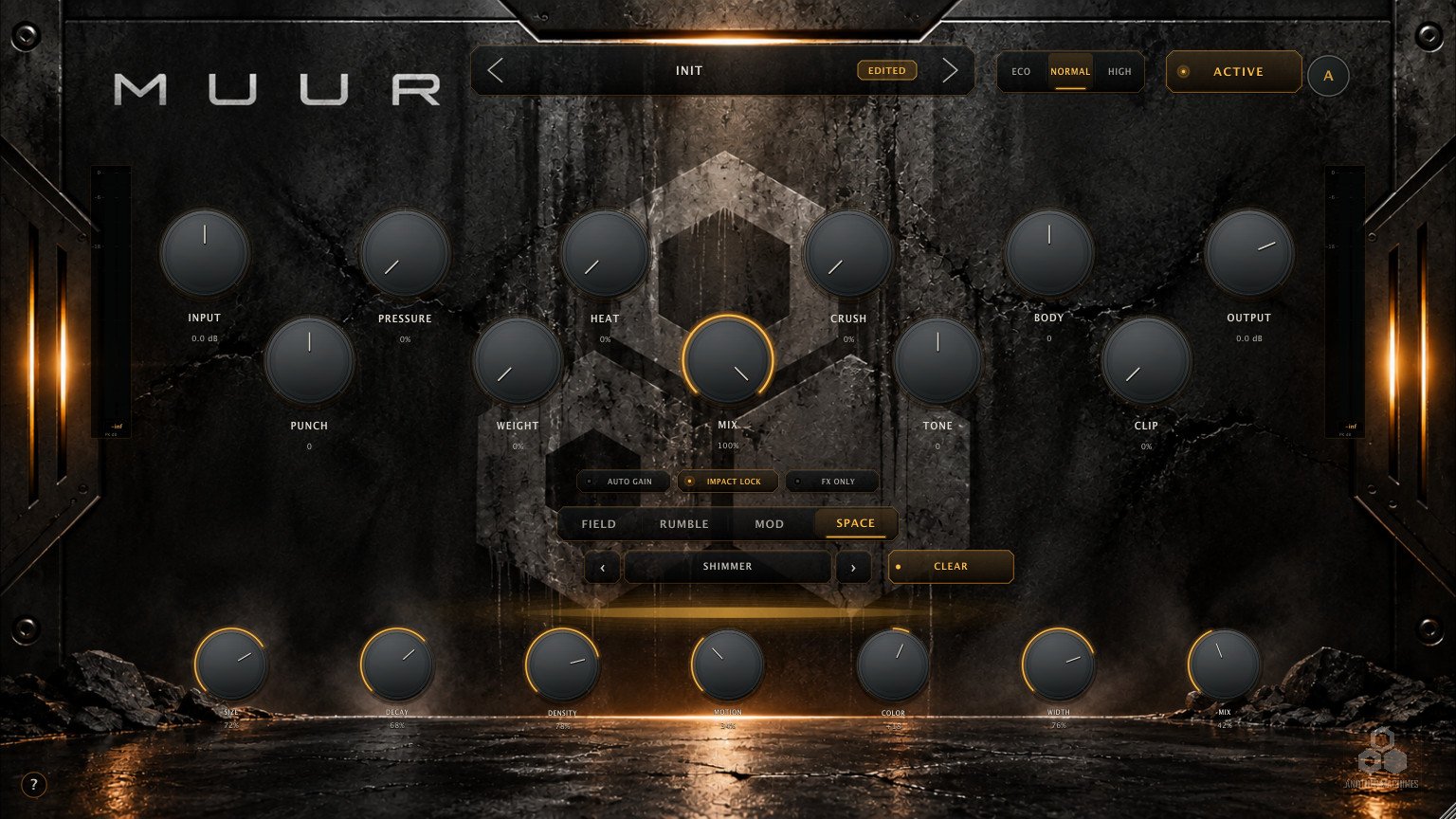
- HALL
- Broad room for depth and continuity.
- PLATE
- More compact and dense.
- VOID
- Dark, expansive space for sound design.
- SHIMMER
- An airier tail with pitched content.
- REVERSE
- A stylised growth and reversal character.
- DUAL
- Two spatial patterns combined.
07 — FX ONLY
Hear the returns on their own.
FX ONLY leaves only the generated RUMBLE, MOD and SPACE returns audible, aligned with the main path. Set a creative engine in isolation or record the effects to their own track — then switch it off and set the level in context.

- FX ONLY
- The generated returns alone. Silent if those engines are at zero — by design.
- AUTO GAIN
- Gradual, bounded level compensation, so the louder setting doesn't automatically win.
- IMPACT LOCK
- Helps keep the transient and fundamental in focus when the engines are pushed hard.
08 — PRESETS
A Factory library, and room for your own.
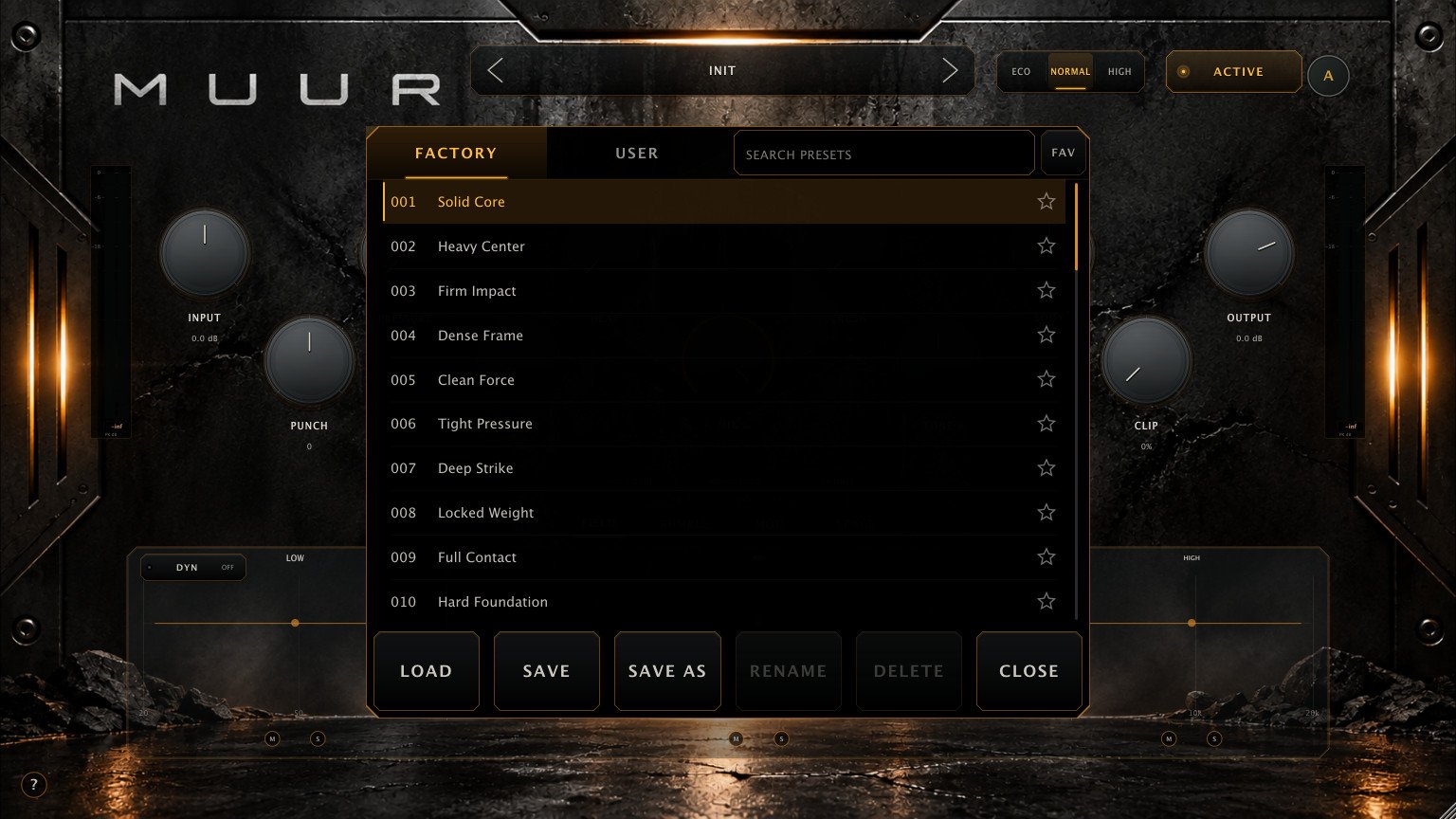
Click the preset name to open the browser. Search by name, filter by favourites, and move between the read-only Factory bank and up to 50 User slots. SAVE, SAVE AS, RENAME and DELETE work on your User presets, and an EDITED badge tells you when the current sound has unsaved changes.
09 — QUALITY MODES
Three quality modes.
- ECO
- Lower processing cost for larger sessions.
- NORMAL
- The everyday working mode and the starting point.
- HIGH
- Higher processing quality at a higher CPU cost.
Quality is a working preference, not part of a preset's sound.
10 — SYSTEM REQUIREMENTS
What MUUR needs.
MUUR 1.0.1
- macOS 13.0 or later
- Architecture Universal — Apple Silicon and Intel
- Formats Audio Unit and VST3
- Host Any AU or VST3 compatible host
- Audio Mono or stereo in / out
- MIDI Not used
- Tempo RUMBLE and MOD sync follow host tempo where available
In the download
- MUUR Audio Unit plug-in for macOS
- MUUR VST3 plug-in for macOS
- Factory preset library
- User Manual and Quick Start guide
11 — FAQ
Straight answers.
What is MUUR?
An audio effect plug-in for macOS that shapes kicks, drums, bass, percussion, loops and synth material. It processes incoming audio; it is not a synthesizer.
What's new in 1.0.1?
ADAPT, FIELD DYN, SPACE CLEAR, AUTO GAIN and FX ONLY, a preset browser with search and favourites, and contextual help.
I already own MUUR. Do I pay again?
No. Log in to Gumroad with the email you bought with, open Library, open your MUUR purchase and download the 1.0.1 installer from the product content.
What does ADAPT change?
The main controls and FIELD, and where it is justified, measured amounts of RUMBLE, SPACE and IMPACT LOCK. It never changes MIX or OUTPUT, and it saves nothing automatically.
What's the difference between BODY and RUMBLE?
BODY is short and physical — rounded support around the hit, inside the main engine. RUMBLE is the longer rhythmic tail behind it, with its own timing.
Which formats and Macs are supported?
Audio Unit and VST3 on macOS 13 or later, Universal for Apple Silicon and Intel.
Does MUUR use MIDI?
No. RUMBLE RHYTHM and MOD SYNC follow host tempo where the host provides it; FOLLOW and HIT respond to the source's own hits.
Can I save my own presets?
Yes — up to 50 User slots, with SAVE, SAVE AS, RENAME and DELETE. The host also stores your settings inside the project.
ANOTHER MACHINES SOFTWARE
IMPACTUNDERCONTROL
MUUR 1.0.1 · MACOS · AU / VST3 · APPLE SILICON & INTEL
GET MUURAlso available for iPhone and iPad. Explore MUUR for iOS ↗