
KHAEON
Dual-engine generative synthesizer · Max for Live
- Max for LiveAvailable now
- VST3 · AUComing soon
- iOS · AUv3Coming soon
Real footage · CROMO driven by KHAEON's own output
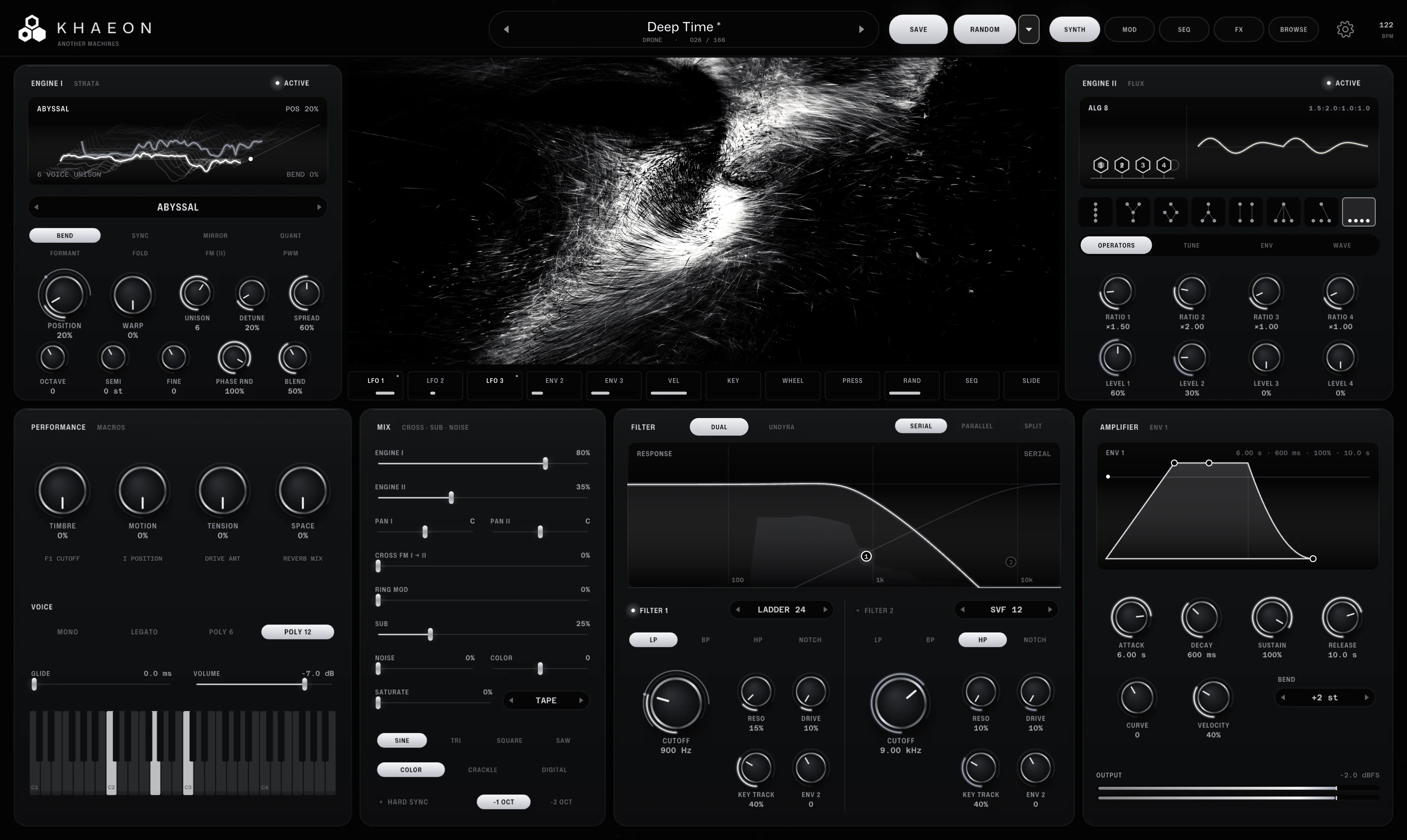
Two engines.
Wavetable · 41 tables + yours / FM · 4 operators, 8 algorithms
A filter in motion.
7 models / Undyra · up to 32 resonant bands
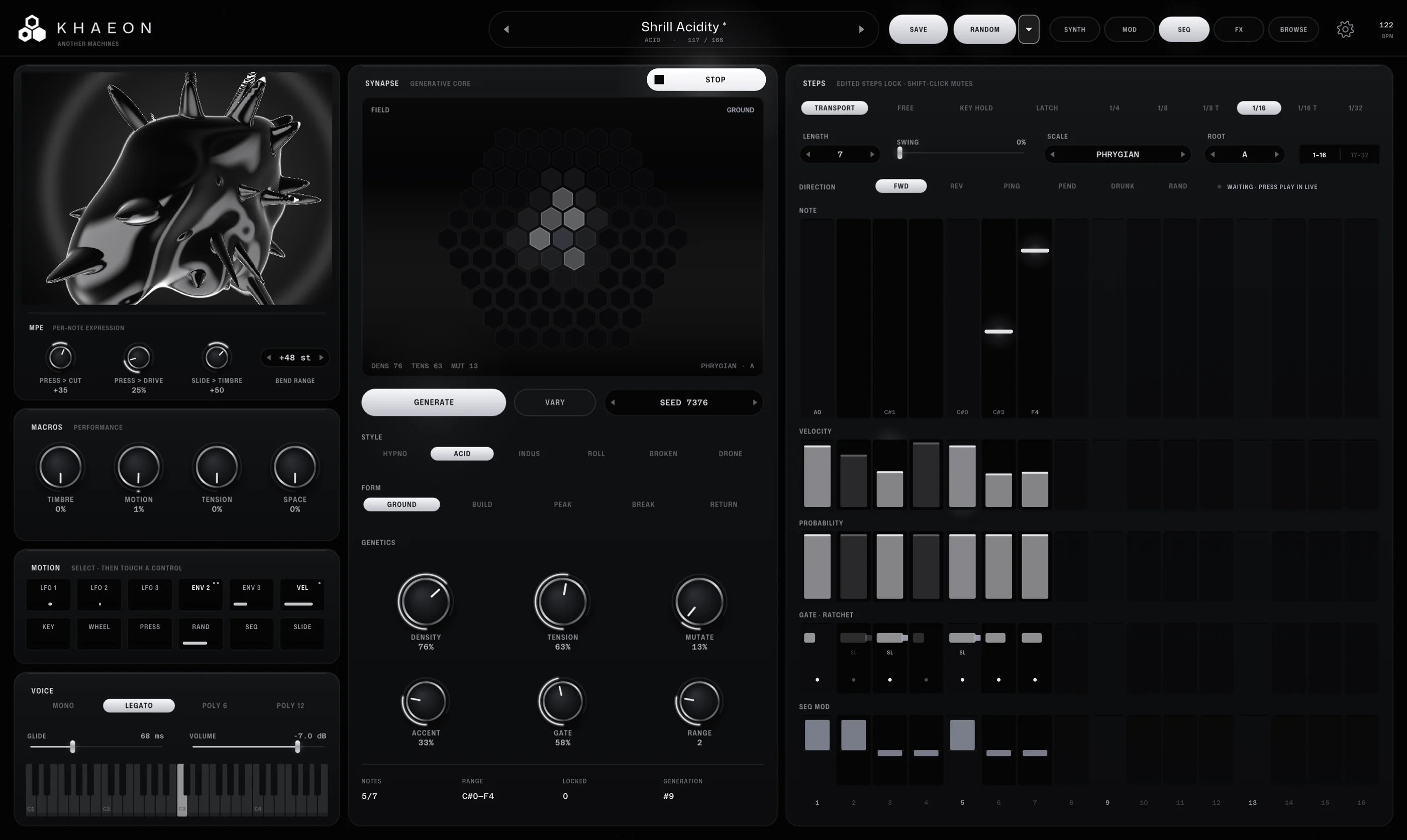
A generative sequencer.
SYNAPSE · 6 styles · 5 song forms · 32 steps
A visual driven by the sound.
CROMO · SILK · on the GPU, driven by the real output
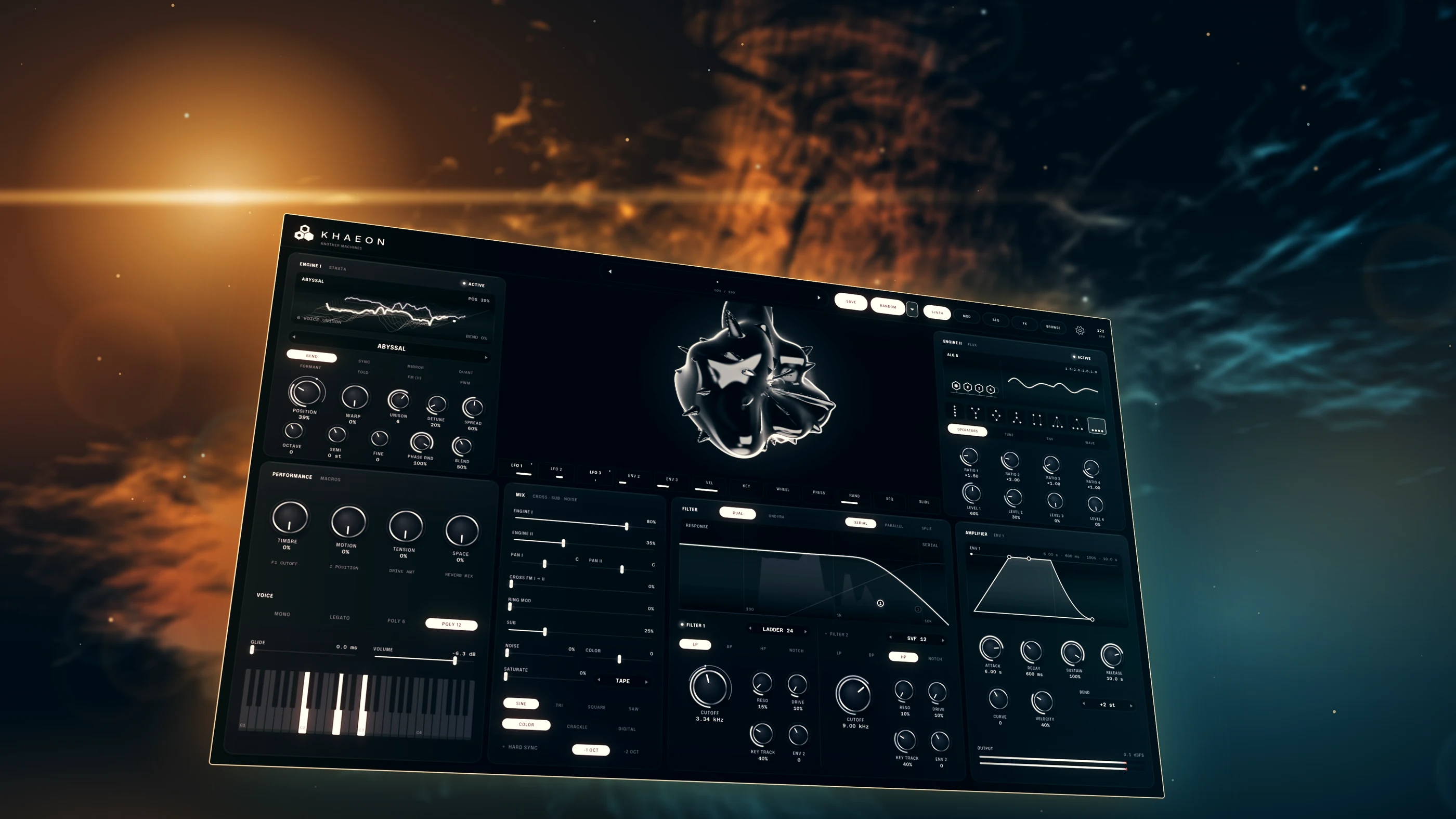
One file. Inside Live.
Max for Live · Ableton Live 11 and 12 · Mac and Windows · Push 3 · MPE
The film
KHAEON in Ableton Live
Watch on YouTube (opens in a new tab)
Demos
Demo 02
Inside the console

One page, every control
Both engines sit around the visual, with performance, mix, filter and amplifier below — one page, every control within reach. Each control is a Live parameter: automate it, map it or record it from Push.
The console
Engine I · Strata
A wavetable engine built for weight: 41 tables of our own design, from classic saws to spectral oddities, plus your own, scanned frame by frame, bent by eight warp modes, up to eight-voice unison.
Visual stage
CROMO and SILK run on the GPU and read KHAEON's real output — level, spectrum, onsets and stereo width. When nobody is looking, they pause.
Engine II · Flux
Four-operator FM with eight algorithms and four waveforms per operator, per-operator decay, cross-FM, ring and sync with Engine I.
Dual filter · Undyra
Seven models in serial, parallel or split, drawn from the same maths that runs in the audio. Then Undyra: up to 32 resonant bands that flow, pulse to the beat or move in chaos.
Performance · Mix · Voice
Four macros, per-engine level and pan, sub, noise, per-voice saturation, mono, legato or poly, and a keyboard you can play with the mouse.
Sequencer, modulation, effects, Genesis


Sound engine details
Small things that make the instrument play and sound better.
- Analog tolerances Every voice drifts a little in pitch, filter and envelope, so chords and unisons breathe instead of sounding cloned.
- Legato that keeps the phrase Slides never retrigger decays or LFOs.
- No clicks, no zipper noise Every parameter is smoothed, so you can automate anything. Change the filter model mid-note and KHAEON crossfades.
- Velocity curve SOFT, LINEAR or HARD, for pads and keyboards.
- The same sound at any rate 44.1, 48 and 96 kHz.
Living visual
Both visuals read KHAEON's own output on the GPU, frame by frame. Click the screen to switch between them, or let each sound choose.
Eight Genesis styles
The style decides how a new sound is built and how SYNAPSE plays it. Lock any module and Random leaves it alone.
- HypnoticSlow filter drift and long echoes on a line that barely changes.
- IndustrialDense bars, drive and metal.
- DeepSub weight, dub space, room to breathe.
- RawPunch first: short, loud, unpolished.
- ClassicChord stabs, ensemble, tape and swing.
- BleepShort pure tones placed high in the minor pentatonic.
- ObsessiveA short odd motif turning against the bar under a resonant filter.
- MinimalSparse steps, short envelopes, nothing extra.

Push 3 and MPE
- 21 parameter banks Engines, filter, envelopes, LFOs, sequencer, effects and Undyra, named, on Push's own encoders. No mapping, no extra software.
- Actions on encoders Preset by name, Random, Generate and per-module dice, right from Push.
- Per-note expression Pressure, slide and pitch bend per note from Push 3 pads, any MPE controller or the note expression in your clips.
Themes and materials
Seven accent colours and five panel materials, chosen in Options. They change the look of the interface, never the sound, and your choice is remembered.
Theme
Material
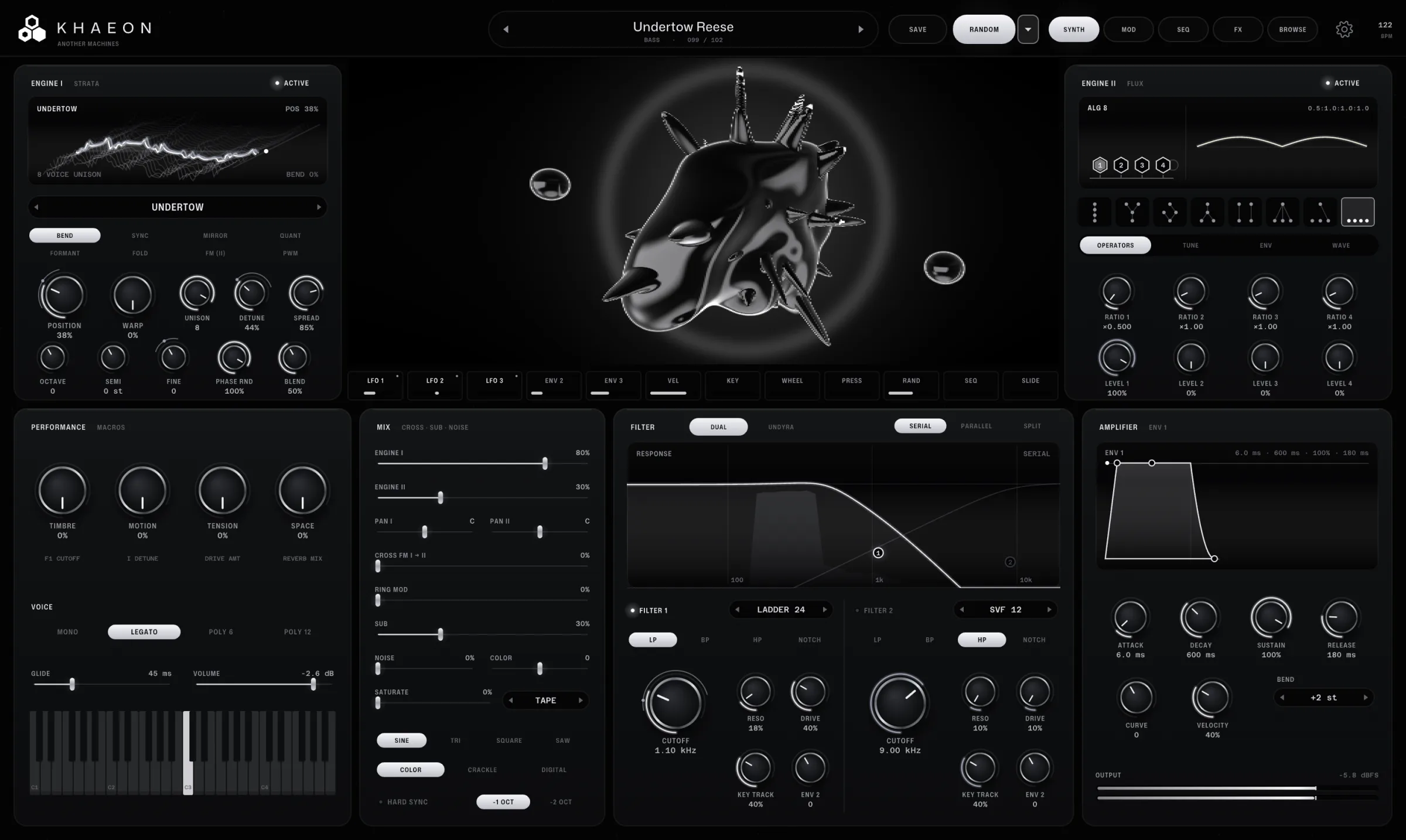
Listen
Twenty-four factory presets playing their own SYNAPSE sequences, recorded straight out of KHAEON at 128 BPM. No other instruments and no effects beyond its own; only the levels are matched.
AcidTrench Acidity
0:00 / 0:17
Specifications
- Engine I · Strata
- Wavetable · 41 tables + user · 8 warp modes · unison ×8
- Engine II · Flux
- 4-operator FM · 8 algorithms · 4 operator waves
- Sub · Noise
- 4 sub shapes · colour, crackle and digital noise
- Filter
- 7 models · LP, BP, HP, notch · serial, parallel, split
- Undyra
- Spectral motion · 8–32 bands · flow, pulse, chaos · freeze
- Modulation
- 3 LFOs · 3 envelopes · 12-slot matrix · 16 → 68
- SYNAPSE
- Generative sequencer · 6 styles · 5 forms · 32 steps · 11 scales
- Genesis · Random
- 8 styles · bred patches · dice and locks per module
- Effects
- Drive · ensemble · delay · reverb · reorderable
- Output
- 3-band OTT · pump · mono bass · analog stage · true-peak limiter −0.3 dBTP
- Visual
- CROMO and SILK, driven by the real sound · classic 2D mode
- Interface
- 7 themes · 5 materials · same sound in every look
- Control
- 21 Push banks · MPE · every control is a Live parameter
- Presets
- 190 factory presets with their own sequences · user bank · favourites
- Format
- Max for Live instrument · one self-contained .amxd · VST3, AU and iOS versions coming soon
- Requires
- Ableton Live 11 or 12 Suite (Max for Live included), or Live 11 or 12 Standard with the Max for Live add-on · not Live Intro or Lite · macOS 11 or later · Windows 11
Questions
Which edition of Live do I need?
Live 11 or Live 12 Suite, which include Max for Live, or Live 11 or 12 Standard with the Max for Live add-on from Ableton. Live Intro and Live Lite cannot load Max for Live devices, and neither can Standard without the add-on, so KHAEON will not run there.
Do I need Max?
No. KHAEON runs on the Max for Live engine bundled with Live Suite, or with Live Standard and the Max for Live add-on, in Live 11 and Live 12. No separate Max licence or installation.
How do I install it?
Unzip the download: the folder holds KHAEON.amxd and the user manual (PDF). Move KHAEON.amxd into your Live User Library, drag it onto a MIDI track and play. Wavetables, interface and engine are inside that one file.
How do I assign modulation?
Click a source in the MOTION panel (or in the row under the visual): it lights up, and so does every control it can reach. Drag one of those controls up or down to set the depth; when you let go, the connection is written into the next free slot of the twelve-slot matrix. A ring around the knob shows the range it sweeps. Change the depth by dragging the ring, add or remove sources from any control's Ctrl/Cmd-click menu, or edit source, destination and amount directly in the matrix. The manual explains every step with screenshots.
Why does it take a few seconds to get ready?
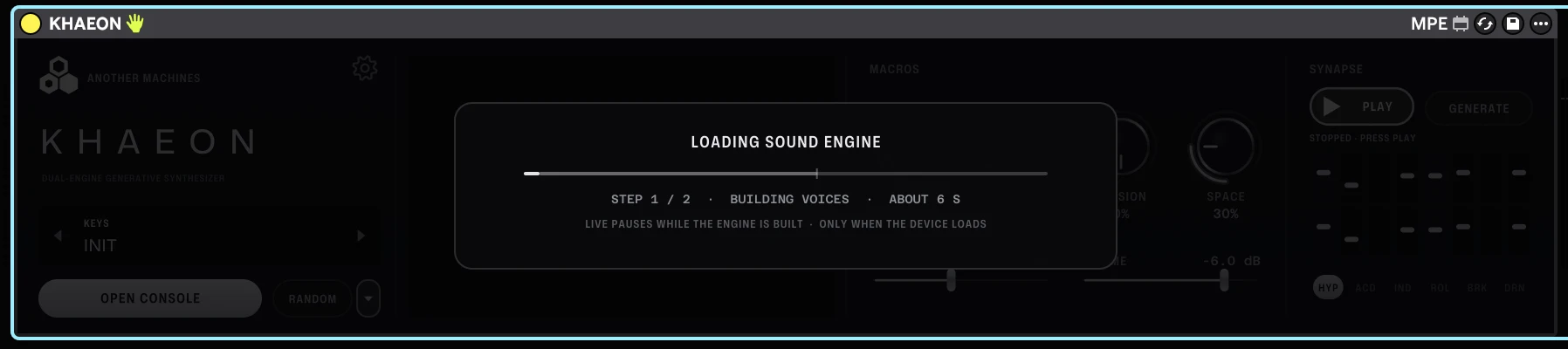
Every time KHAEON loads (dropping it on a track, duplicating the track or opening a set that contains it), its sound engine is compiled for your computer: twelve voices of both synth engines and the effects chain. That takes about 10 seconds on a recent computer and up to 15 to 20 on older ones, whatever the preset. The interface appears first, dimmed, with a panel that shows each step and an estimate. Live pauses while the engine is built, so load your KHAEONs before you play live. Once loaded, presets, Random and Generate are instant.
Does it work with Push?
Yes. Select KHAEON's track and Push shows its controls in 21 named banks of eight, with actions for presets, Random and Generate. Push 3 pads send per-note expression.
Can I use my own wavetables?
Yes. Choose USER in Engine I and load a wavetable file with 2048-sample frames, or a single cycle. Every file you load joins Your Tables, your own library in the table menu, ready in any set; the × removes one from the list. The table in use is saved inside your Live set, so the set opens with it even if the file is gone.
KHAEON
Dual-engine generative synthesizer · Max for Live
Coming soon on Gumroad- Max for LiveAvailable now
- VST3 · AUComing soon
- iOS · AUv3Coming soon