
- 3
- VST3 · AU · Standalone
- 260
- Presets installed
- 139
- Wavetables
- 12
- Built-in effects
- 38
- Audio demos
00New in 1.1.0
A new surface.
Deeper control.
A rebuilt hardware-inspired interface, more expressive sequencing and modulation across the instrument. Every existing preset and project sounds exactly as before.
- Modulate anythingDrop a source onto any knob. Up to 16 modulation links per preset, with live rings showing the movement.
- Sequence with feelSlide, Accent, 1–4 ratchets and independent lane lengths. GEN creates style-aware patterns.
- Excite the bodyA renewed Resonator with Mallet, Pluck, Bow and Breath, oscillator feed and stereo radiation.
- More, with lessUnison Spread on both oscillators, bass-preserving LP24 resonance compensation, faster launch and lower CPU on sustained notes.
01Engine
A hybrid engine
with a physical surface.
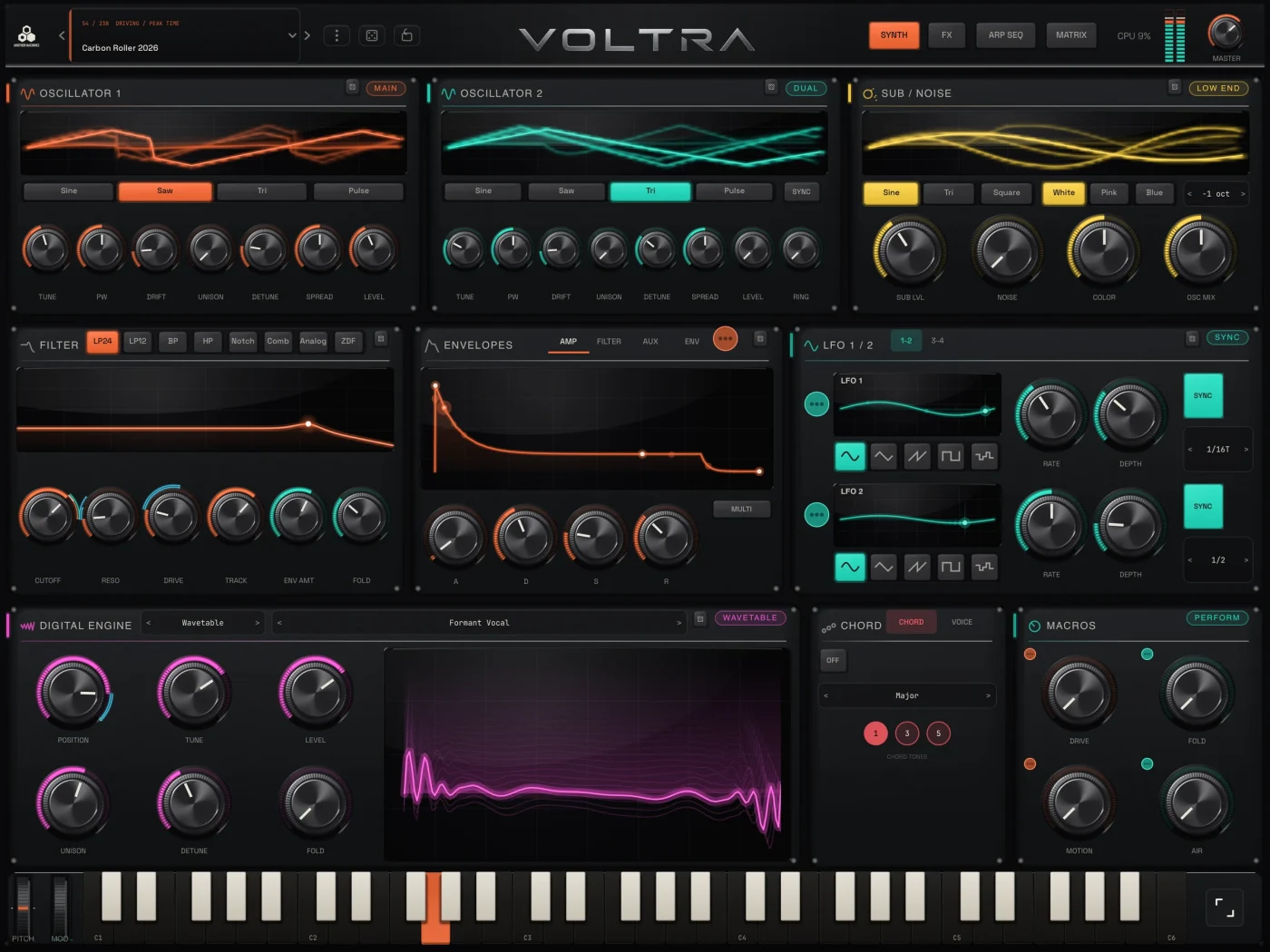
Two analog-style oscillators with hard sync, fold, ring modulation and independent Unison Spread. A Sub/Noise layer and the Digital Engine bring weight, texture and physical character.
02Digital Engine
Strike. Pluck.
Bow.
Switch between 139 wavetables and a renewed physical Resonator. Choose Auto, Mallet, Pluck, Bow or Breath excitation, feed the oscillators into the body and shape stereo radiation. A live holographic display follows the sound.
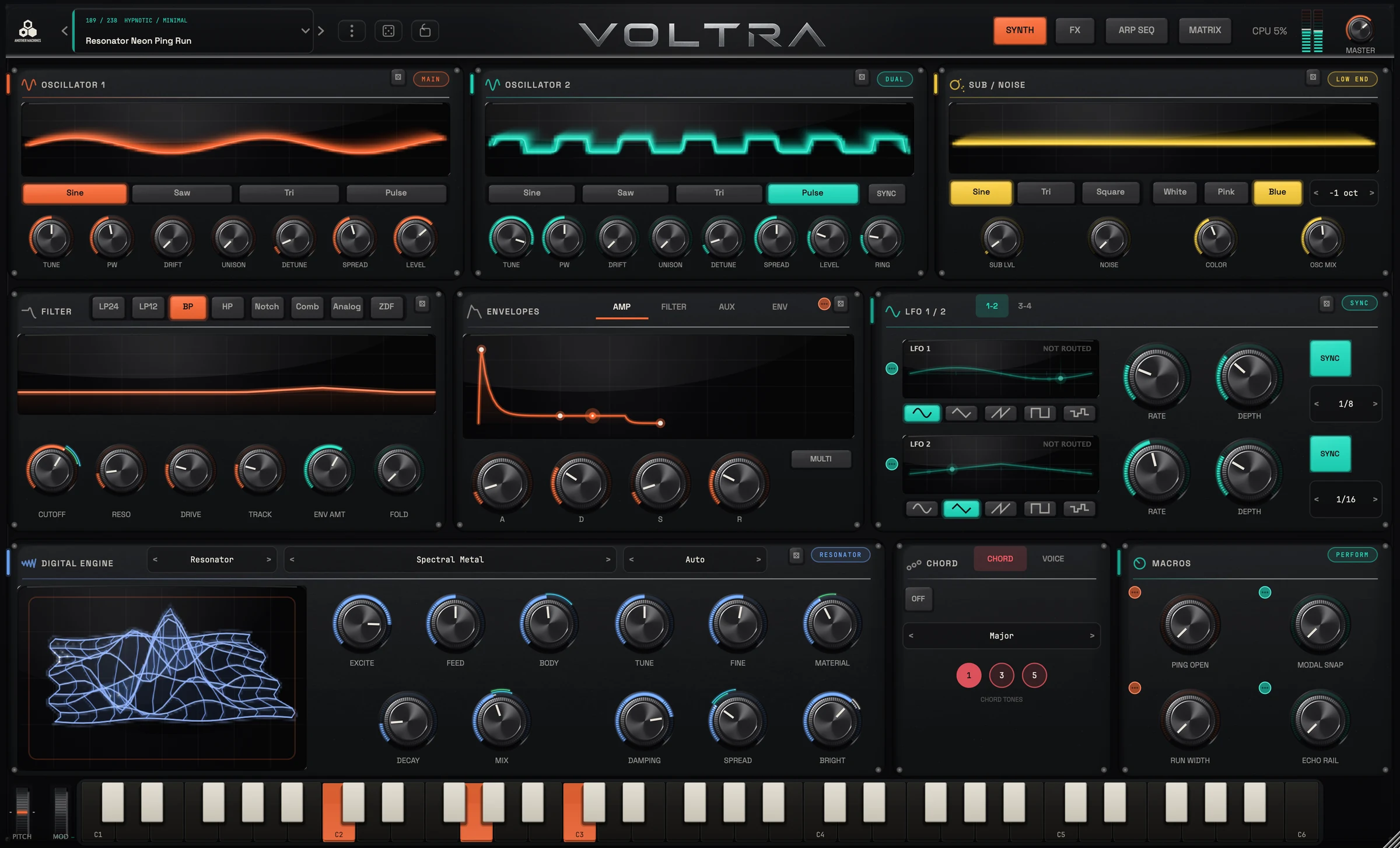
- Auto · Mallet · Pluck
- Bow · Breath
- Oscillator feed
- Stereo radiation
- Wavetable or Resonator
03Filters · Envelopes
Eight filter models.
Four envelope pages.
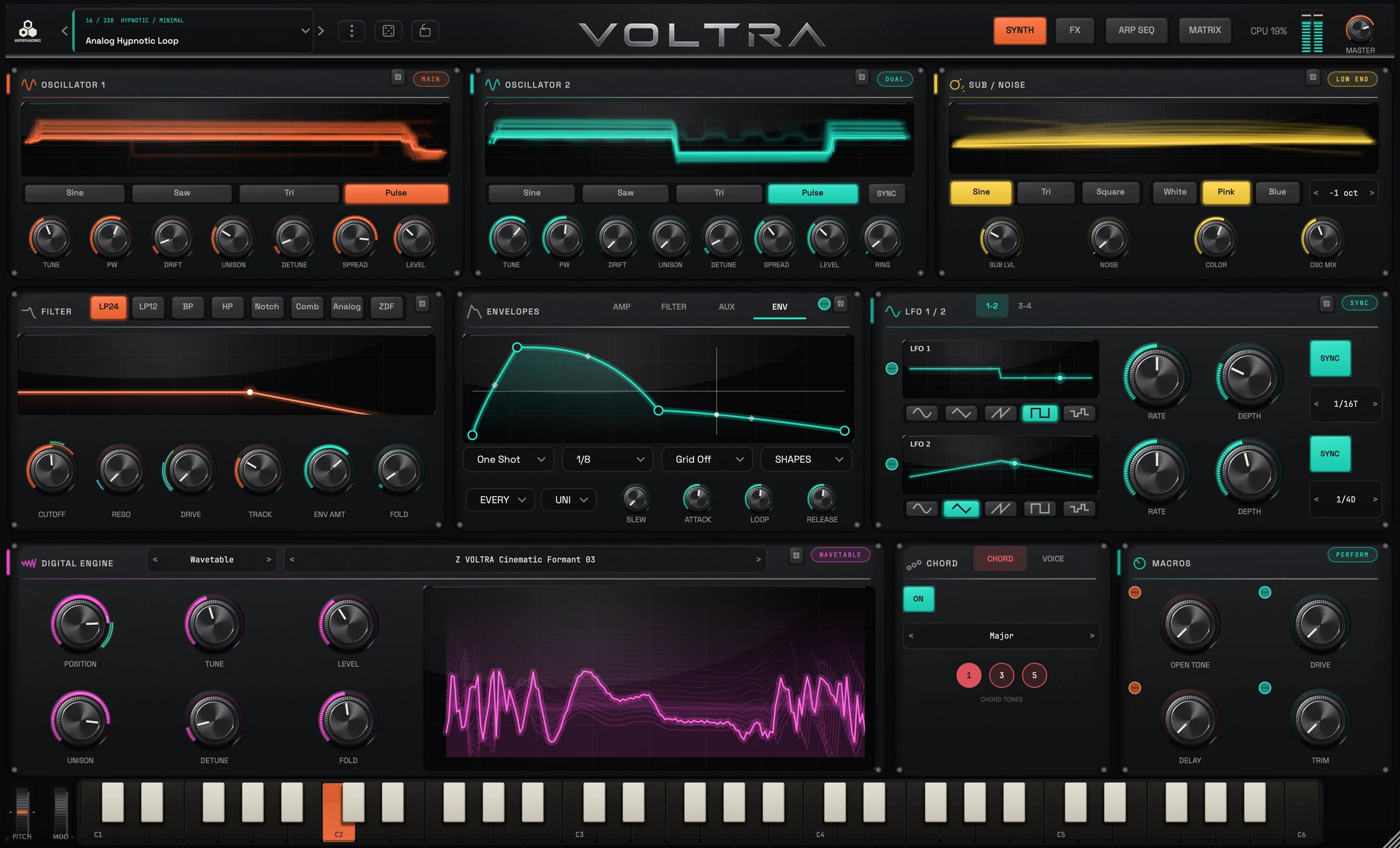
LP24, LP12, BP, HP, Notch, Comb, Analog and ZDF. New LP24 resonance compensation keeps the bass intact. Three ADSRs — Amp, Filter and Aux — sit beside a 16-point multi-stage ENV.
04Modulation
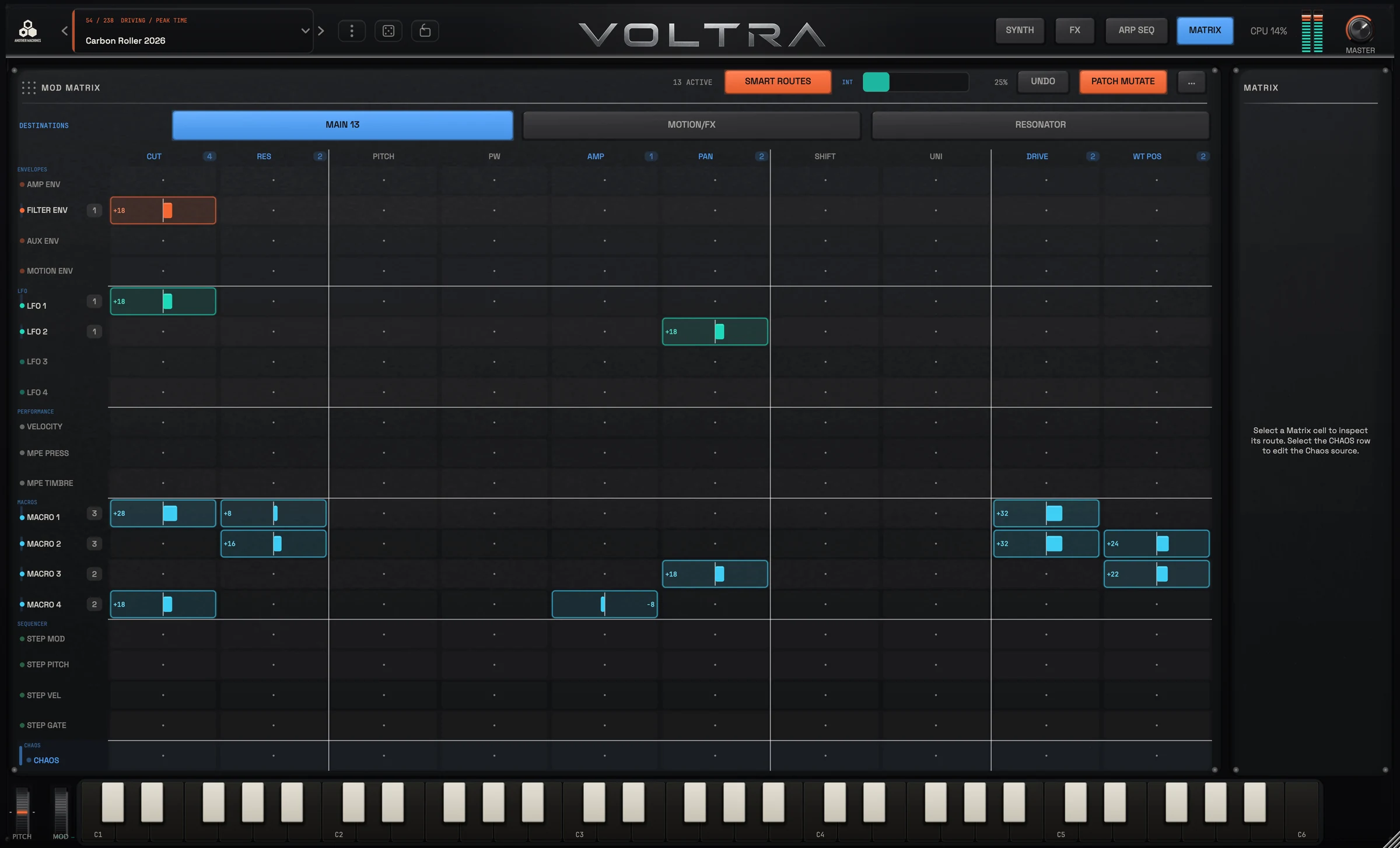
Modulate
anything.
Drag an LFO, envelope, multi-stage ENV, Chaos or velocity onto any knob — including envelope times, LFO rate, effect parameters, glide and spread. Live rings show the motion; the Matrix route inspector reveals the connections.
05FX
A complete FX chain.
Plus a Motion Filter.
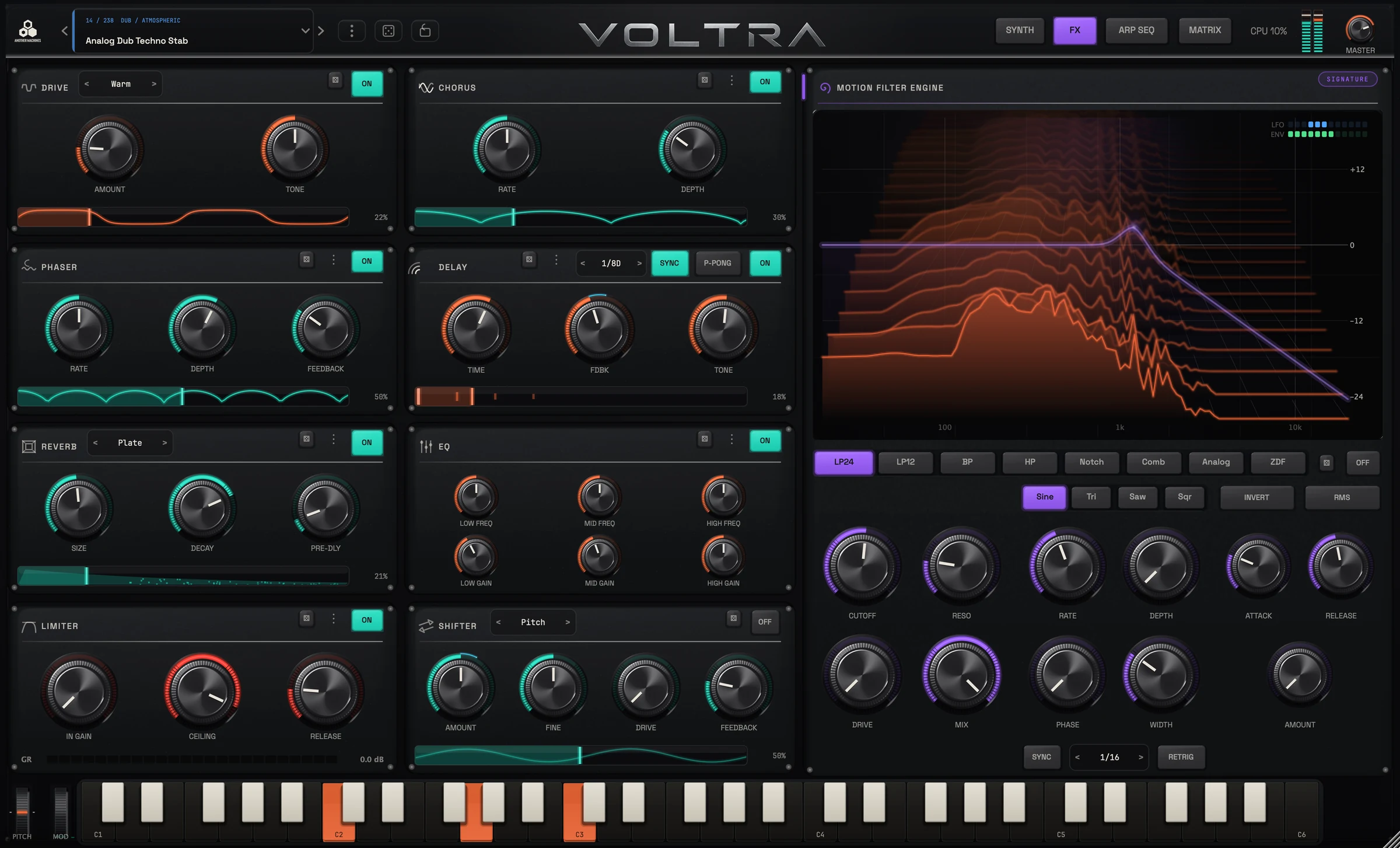
Twelve effects form the built-in chain. Motion Filter sits beside it as its own animated processor: filter shape, tempo-synced movement and a live graph.
- Drive
- Bitcrusher
- Chorus
- Delay
- Reverb
- Compressor
- Pump
- EQ
- Phaser
- Flanger
- Limiter
- Shifter
06Sequencing
Sequencing
with soul.
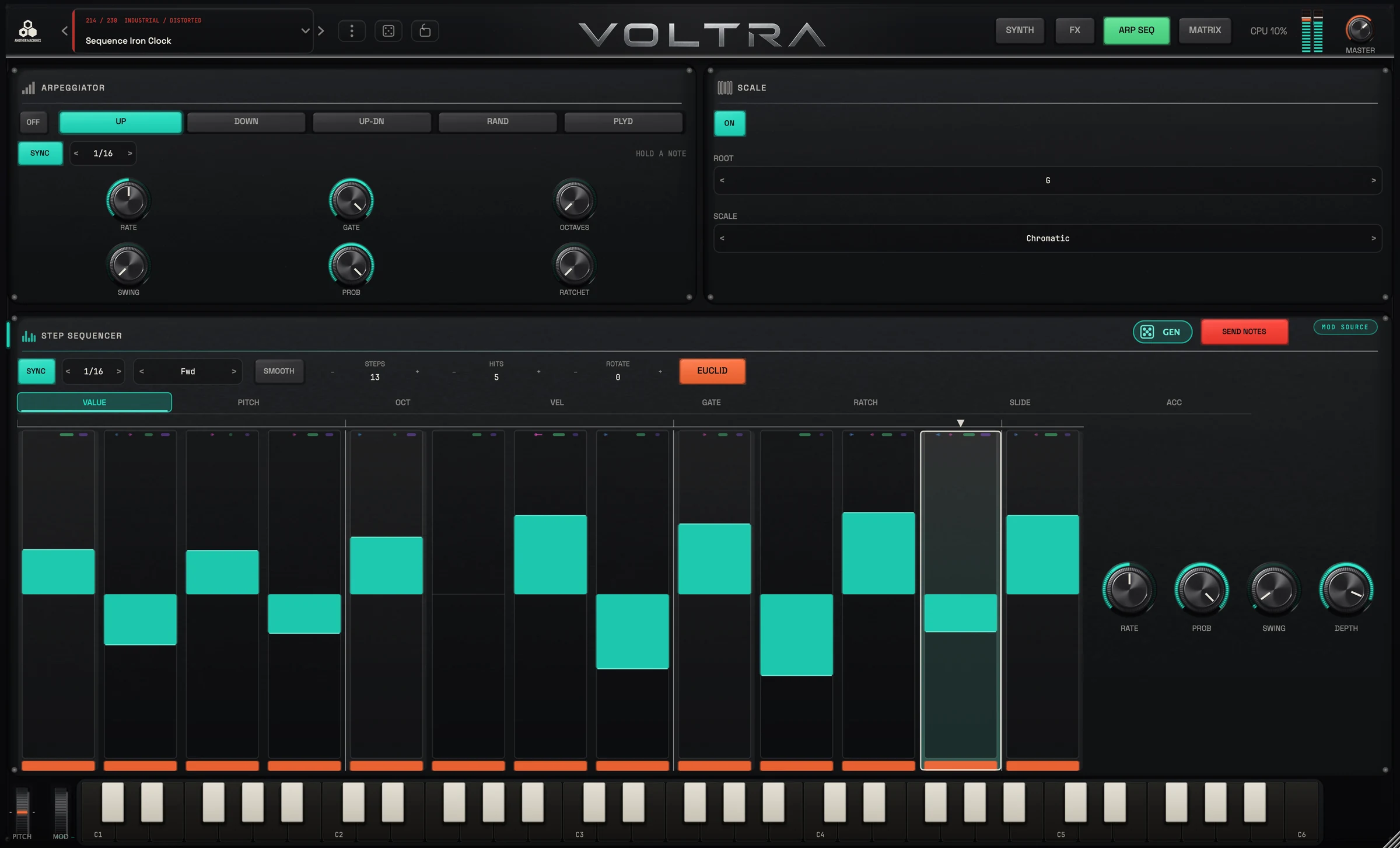
A 32-step sequencer with per-step Slide, Accent and 1–4 ratchets. Pitch, Octave, Velocity and Gate each have their own lane length for polymetric movement. GEN writes a style-aware pattern; Smooth glides every note into the next.
07Four skins · 1.1.0
One instrument.
Four finishes.
Dark, Dawn, Blueprint and Steel. Four complete interface themes, with Hardware Finish adding machined knob and panel detail. Your presets and projects keep their sound.
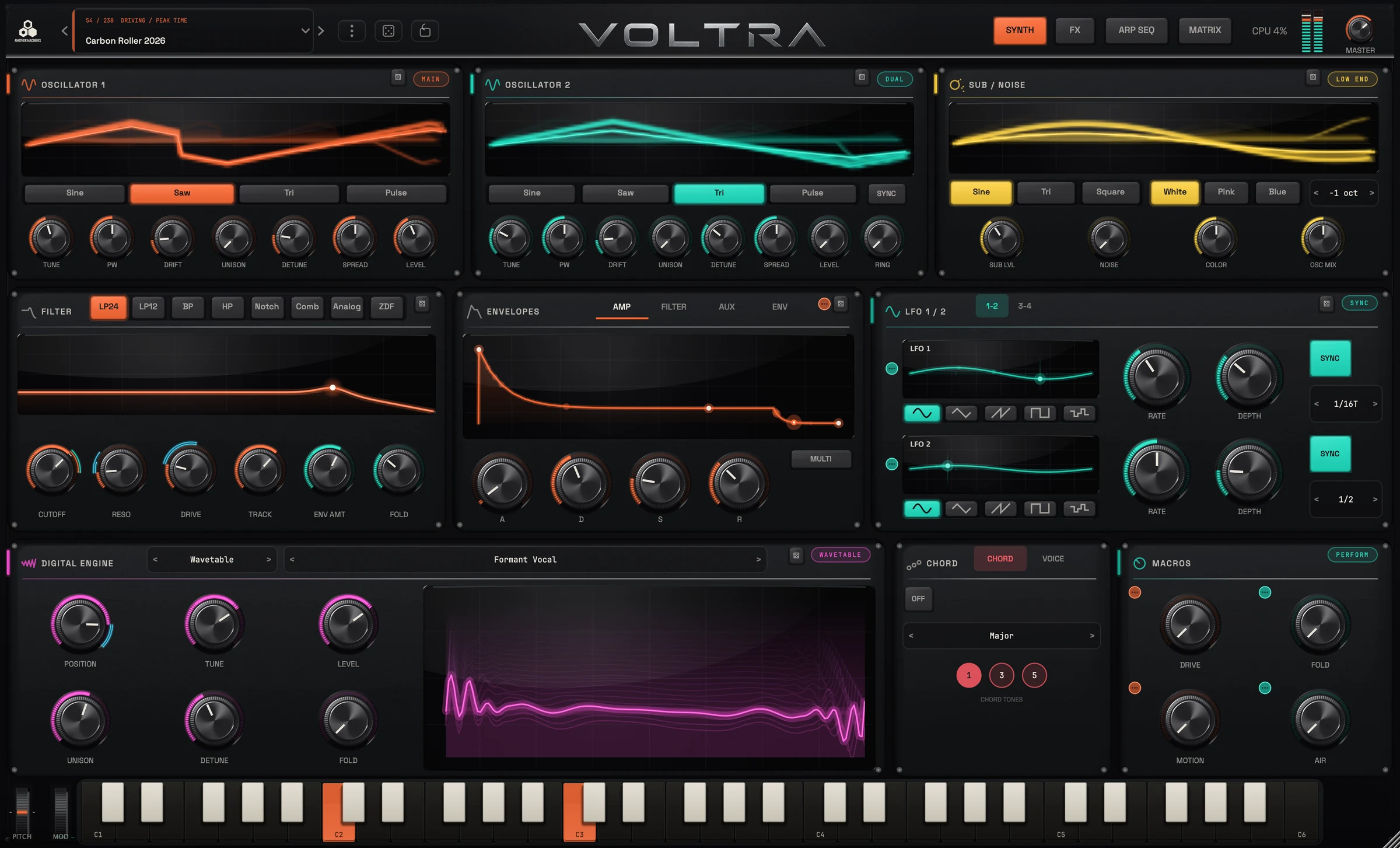
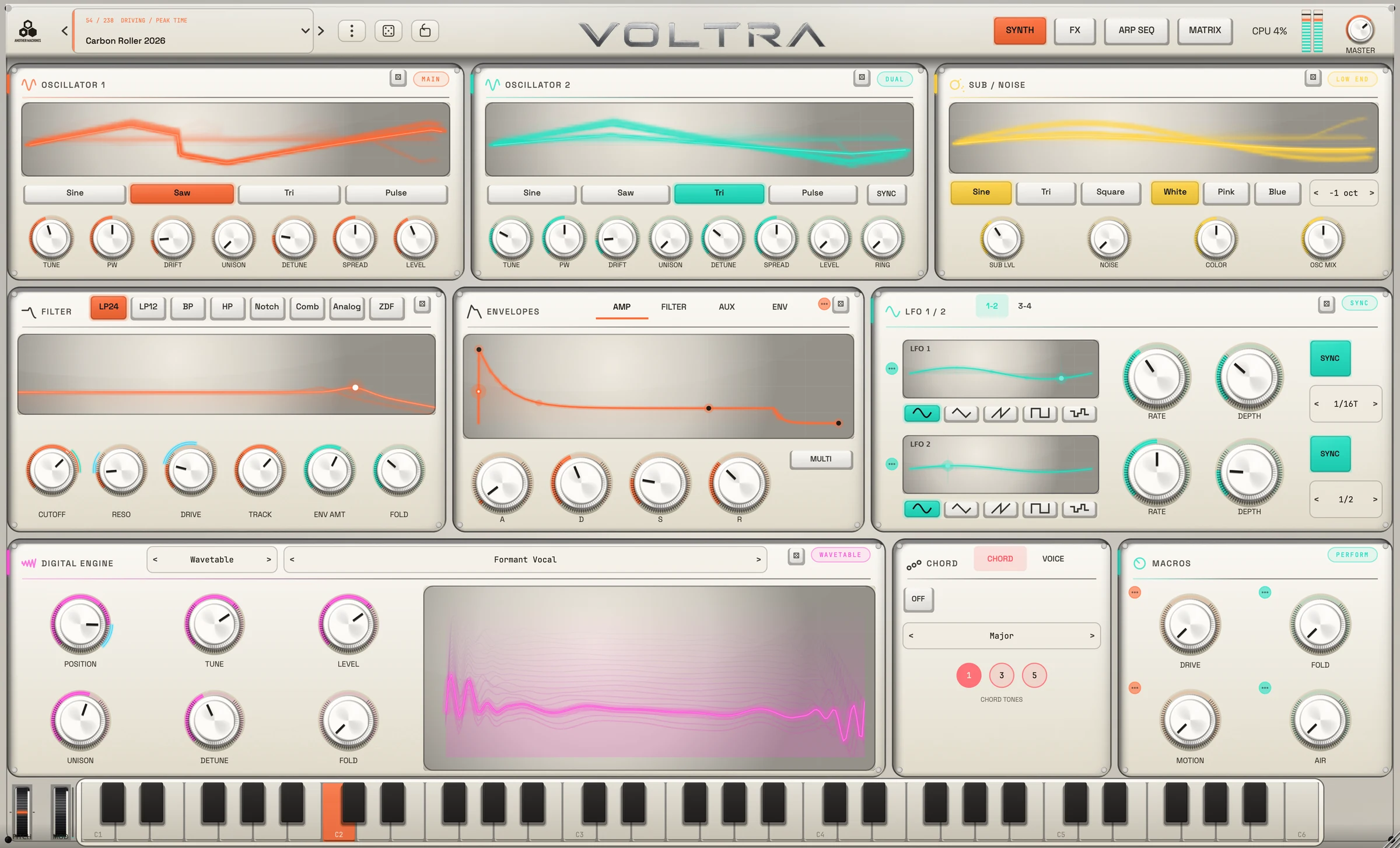
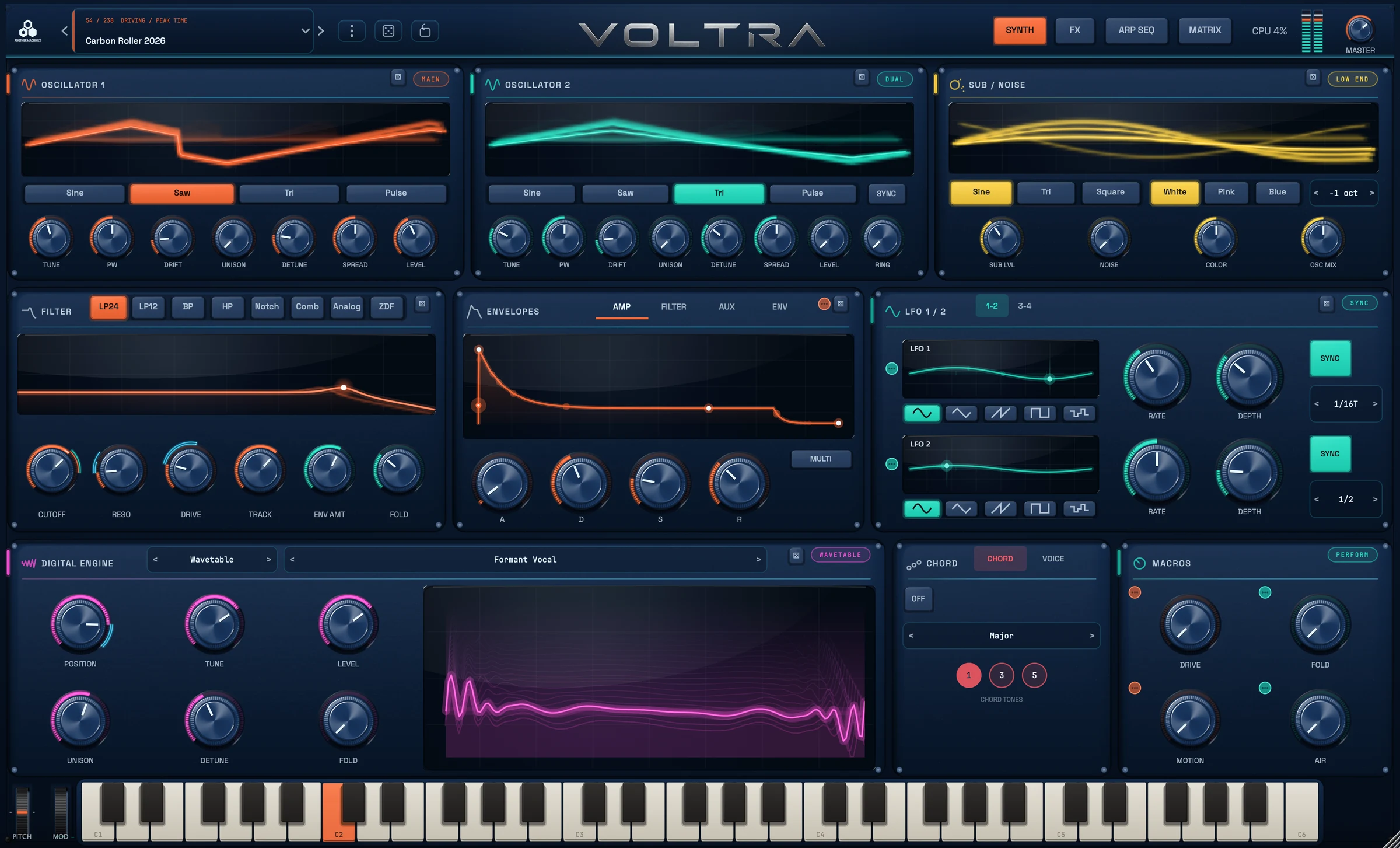
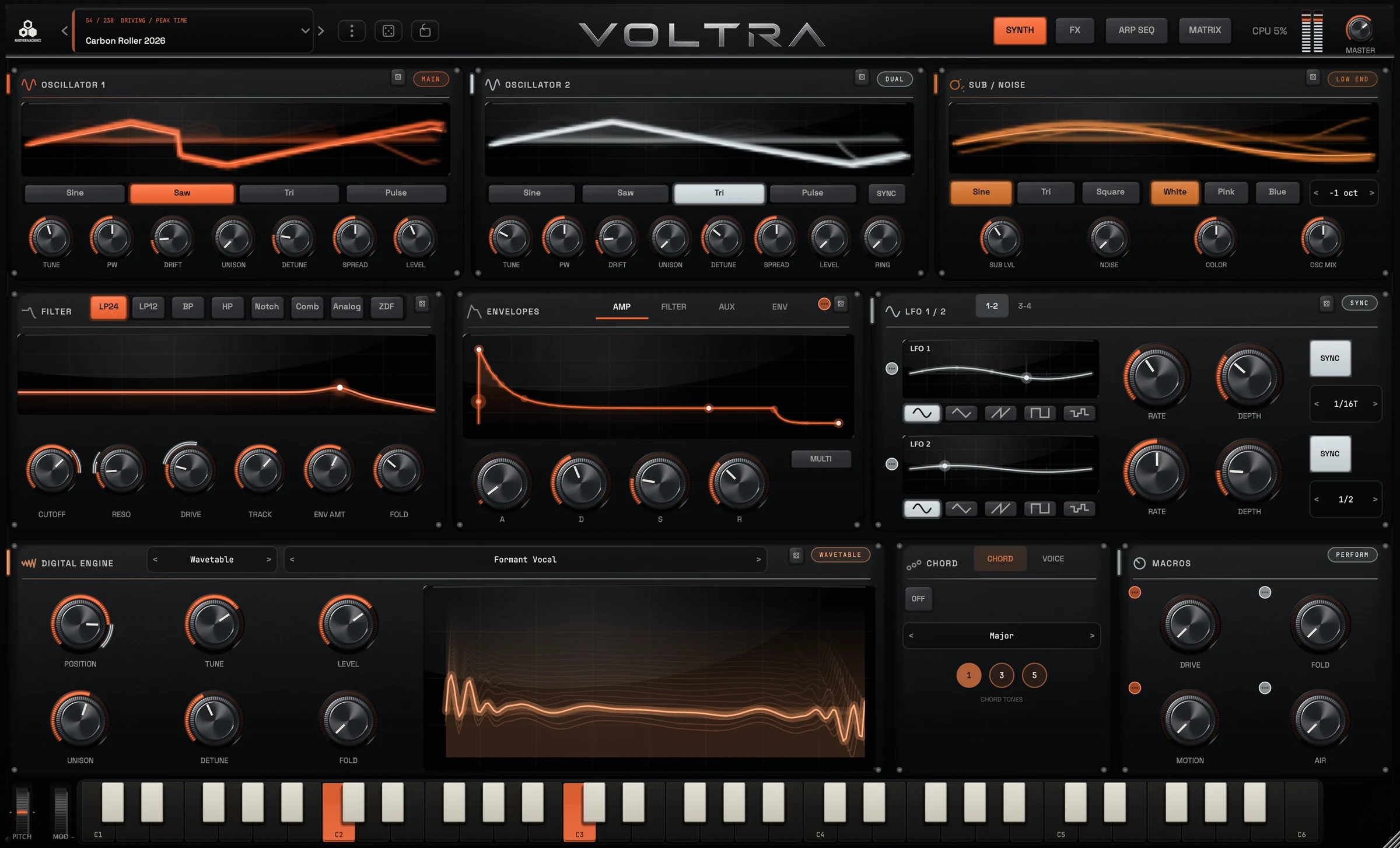
- Read the signalLive scopes, meters and a responsive Resonator visual show the sound as you shape it.
- Follow the motionModulation rings and the Matrix inspector keep each connection visible.
- Keep your soundExisting presets and projects retain their sound in 1.1.0.
08Gallery
The complete
surface.
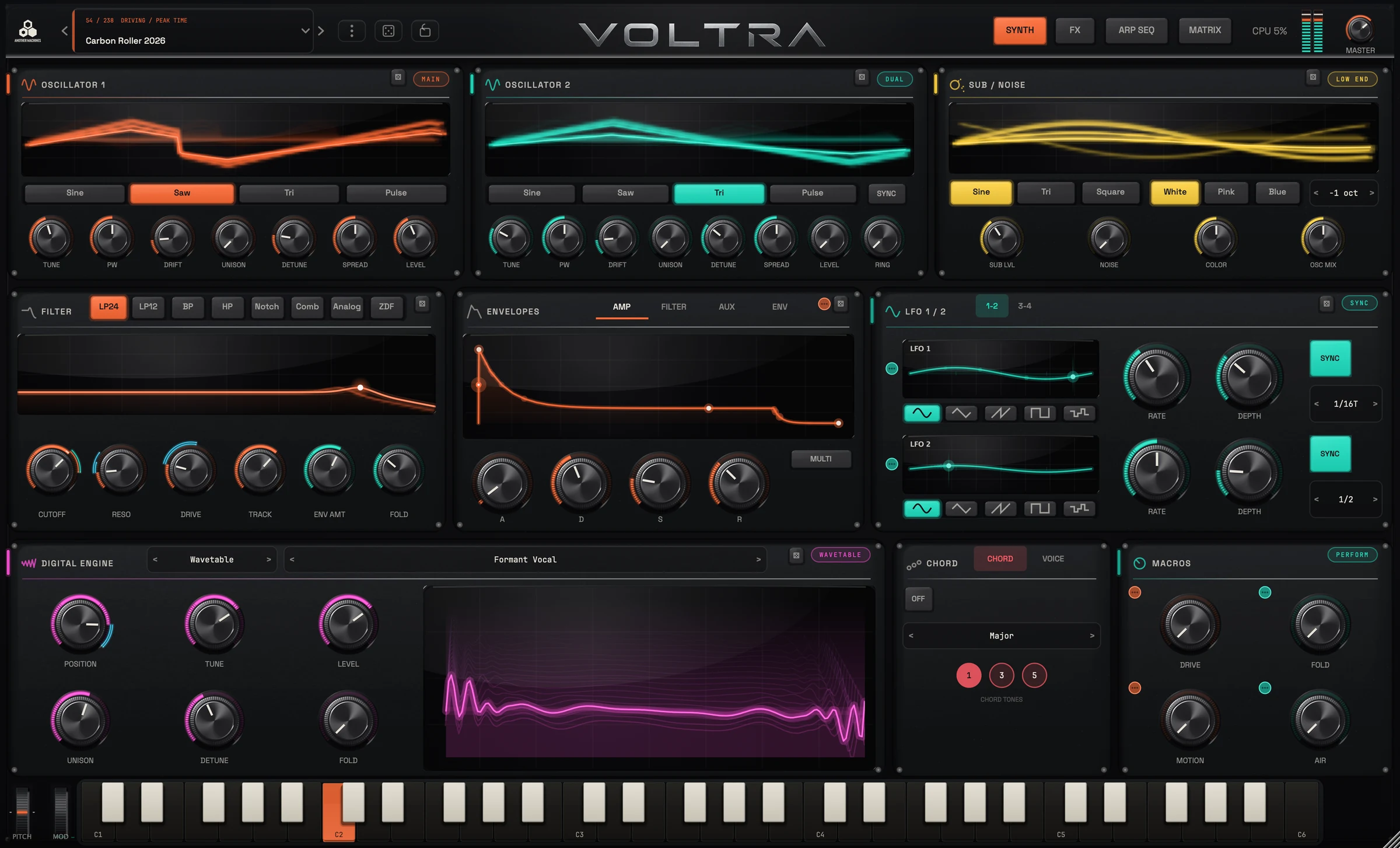
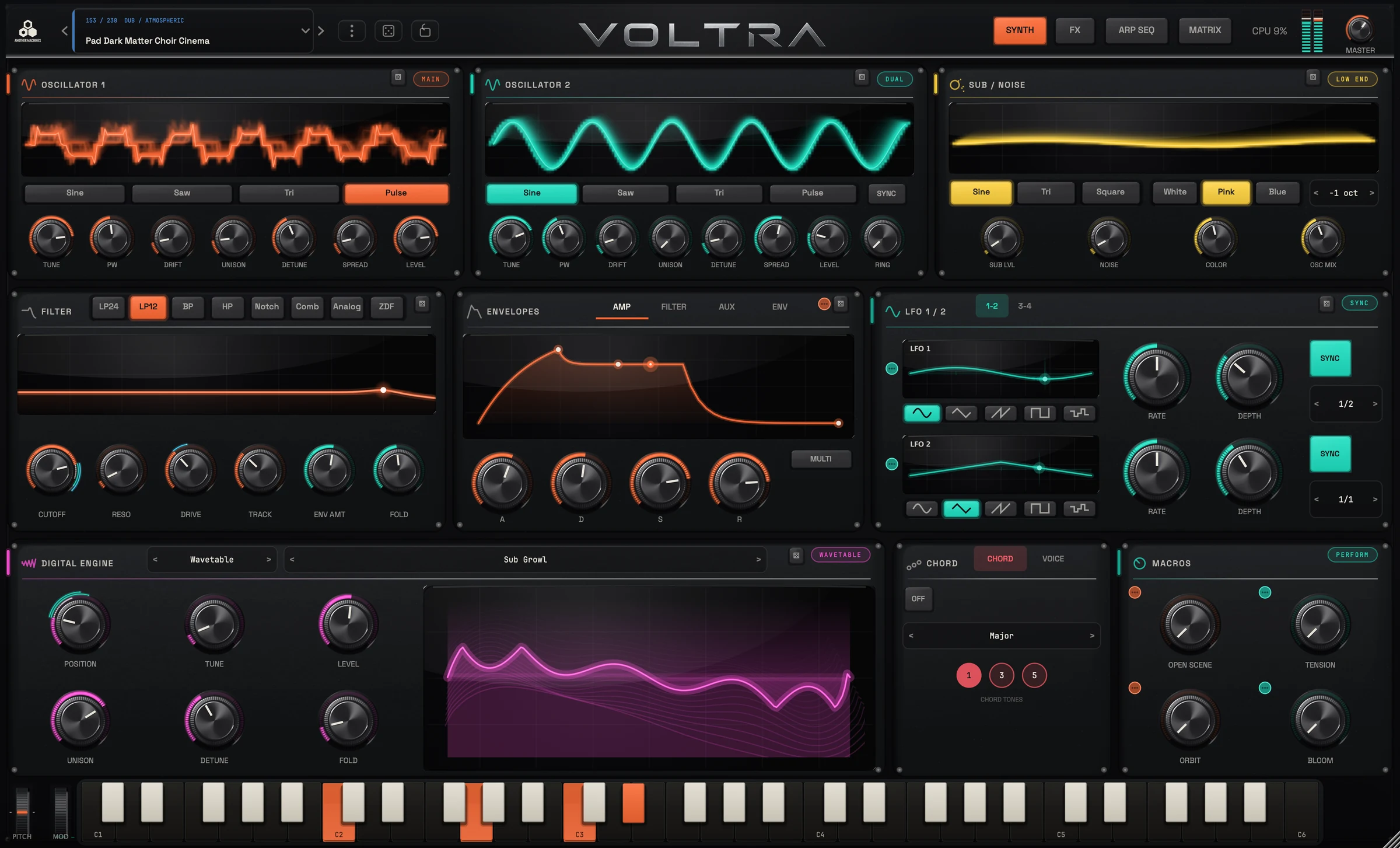
The complete VOLTRA 1.1.0 interface, captured with live audio running.
09Presets
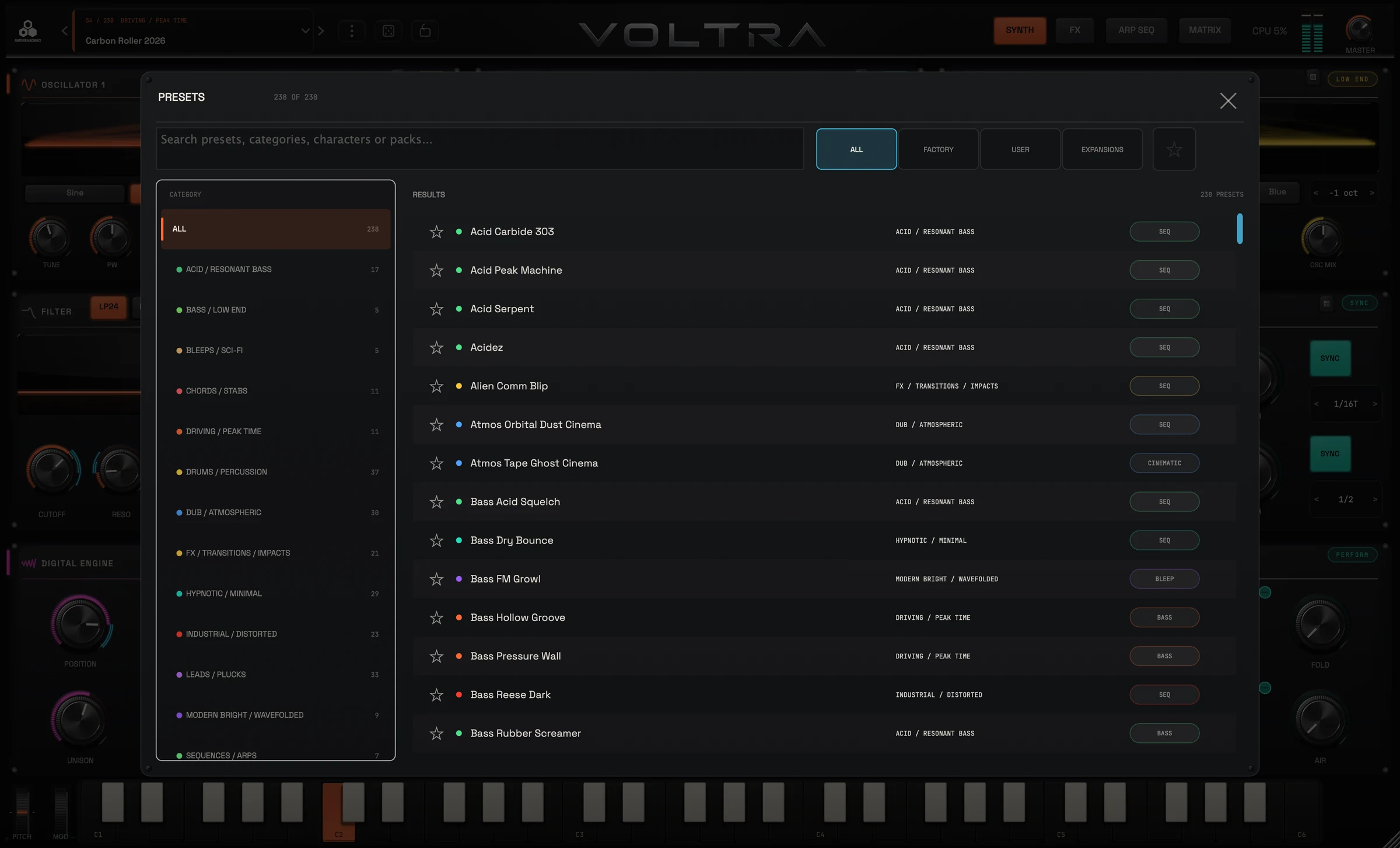
260 presets.
Your next starting point.
Driving techno sequences, industrial bass, cinematic atmospheres, resonator tones, bleep techno, drones, impacts, risers, percussion, dub chords, acid and sci-fi bleeps. Factory Expansion 01 adds 22 more from the internal Store.
- OfflineOn-device generation. No audio, presets or user data are sent to any server.
- One tap. New machine.An expert system — not AI — creates a sound and its sequence locally. Its audio critic listens to each candidate against the selected style.
- Eight stylesIndustrial · Old School · Current · Hypnotic · Acid · Dub · Rave · Cinematic. Or choose Surprise.
- SequenceStyle-aware slides, accents, polymeters, rolls and dub phrasing, shaped together with the sound.
10Demos
Thirty-eight demos,
straight from the synth.
Recorded from VOLTRA presets: sequences, pads, percussion, bass pressure and cinematic motion. These existing recordings are preserved from the previous release.
Demo 01
11Videos
Presets moving
in real time.
Four official preset showcases recorded with an earlier VOLTRA interface. The original videos are preserved below.
12Install
Install VOLTRA
on macOS.
VST3, Audio Unit and Standalone for macOS 11 or later, native on Apple Silicon and Intel. Open the DMG, run Install VOLTRA.pkg, open the app once, then rescan plug-ins in your DAW if needed.
- VST3/Library/Audio/Plug-Ins/VST3/VOLTRA.vst3
- AU/Library/Audio/Plug-Ins/Components/VOLTRA.component
- Standalone/Applications/VOLTRA.app
- UpdatesNew versions appear in your Gumroad Library, with an email when one is uploaded.
macOS only for the plug-in — no Windows build. On iPad, VOLTRA Synth is available separately on the App Store.